Repair Orders and payments
Shopify orders stuck Unpaid after a payment made outside checkout
The money came in by bank transfer, or the driver collected cash on delivery, or a wholesale customer paid an invoice. The order is real and paid. But Shopify still shows it as Pending, so it does not count as revenue, and some fulfillment and shipping rules will not let it move. Here is why Shopify leaves these orders behind and a small script that finds the confirmed ones and marks them paid in a safe way.
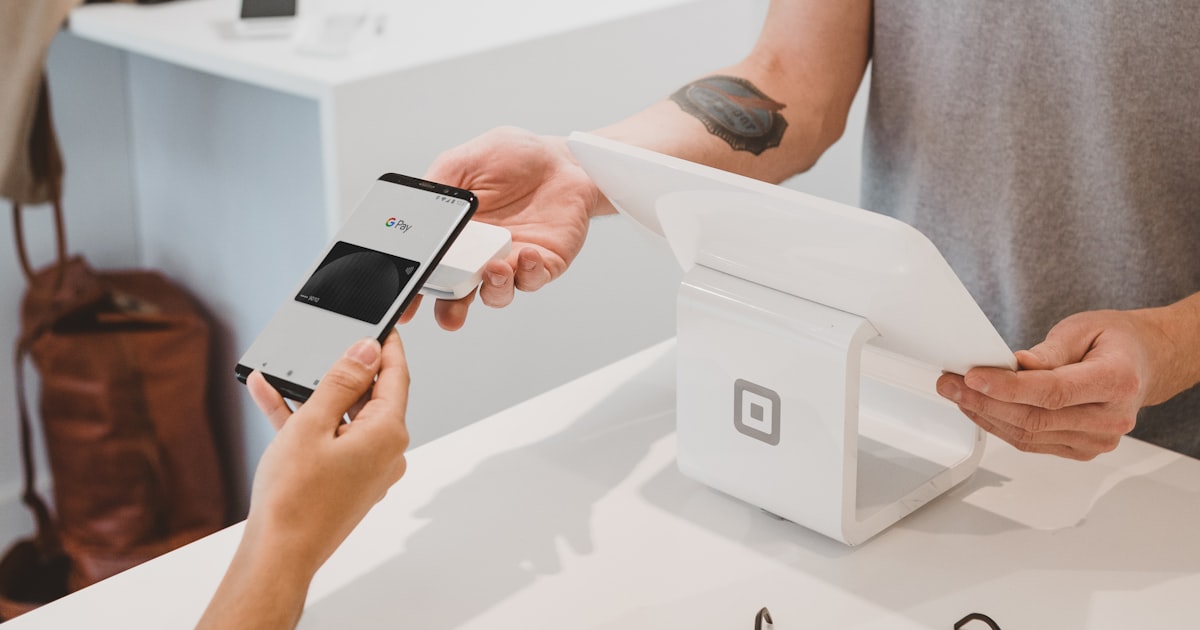
When a payment happens outside Shopify checkout, Shopify never sees the money, so the order sits at a Pending financial status. Run a small Python or Node.js script that lists orders which are still Pending or Partially paid, keeps only the ones Shopify reports as eligible with canMarkAsPaid and that carry a confirmation tag you add once you have verified the money, and calls the orderMarkAsPaid mutation. Full code, tests, and a dry run guard are below.
The problem in plain words
Shopify knows an order is paid when a payment runs through its own checkout. The card is charged, a transaction is recorded, and the order becomes Paid on its own.
But plenty of real payments never touch that checkout. A bank transfer lands in your account. A driver collects cash. A wholesale buyer pays an invoice by hand. Shopify has no way to know any of that happened, so it keeps the order at a Pending financial status. The money is in your pocket, but the store does not agree, and that gap blocks fulfillment steps and understates your sales.
Why it happens
Shopify sets the financial status from the payments it records. With an outside payment there is no transaction to record, so the status never changes on its own. A few common ways stores end up here:
- A manual payment method such as bank deposit, cash on delivery, or money order, where the buyer pays later and off platform.
- Wholesale or B2B orders paid against an invoice, where the terms are net thirty and the money lands days after the order.
- Orders created through the Admin API or a draft order that were meant to be paid but never had a payment attached.
- A checkout that paid through a third party processor whose app failed to write the transaction back to the order.
This is a common source of confusion. Store owners see the money in the bank and expect Shopify to match, then find a pile of Pending orders that will not ship. Shopify does give you a Mark as paid button in the Admin, but doing it by hand does not scale, and it is easy to click it on an order that was not truly paid. See the citations at the end for the exact threads and docs.
Marking an order paid is a claim that you verified the money. So the safe pattern is not "mark every Pending order paid." It is "mark paid only the orders a human has confirmed." We do that with a tag you add once the payment is checked, and we lean on Shopify's own canMarkAsPaid field so the script never fights an order that is already paid or cancelled.
The fix, as a flow
We do not touch the live checkout. We add a job that lists the orders still waiting on payment, keeps only the ones that are both eligible in Shopify and carry your confirmation tag, and marks each one paid the same way the Admin button would. Everything without the tag is left alone for a human to review.
Build it step by step
Get an Admin API access token
Create a custom app in your Shopify admin under Settings, Apps and sales channels, Develop apps. Give it the read_orders and write_orders scopes and install it to get an Admin API access token that starts with shpat_. Keep the token and the shop domain in environment variables, never in the file.
pip install requests

export SHOPIFY_SHOP="yourstore.myshopify.com"
export SHOPIFY_ACCESS_TOKEN="shpat_..."
export MARK_PAID_TAG="paid-externally"
export DRY_RUN="true" # start safe, change to false to write// Node 18+ has fetch built in, no dependencies needed
export SHOPIFY_SHOP="yourstore.myshopify.com"
export SHOPIFY_ACCESS_TOKEN="shpat_..."
export MARK_PAID_TAG="paid-externally"
export DRY_RUN="true" // start safe, change to false to writeTalk to the Admin GraphQL API
Every call goes to one GraphQL endpoint with your token in the X-Shopify-Access-Token header. A small helper sends a query and returns the data, and raises if Shopify reports an error. We use this same helper to read orders and to run the mutation.
import os, requests

SHOP = os.environ["SHOPIFY_SHOP"]
TOKEN = os.environ["SHOPIFY_ACCESS_TOKEN"]
API_VERSION = os.environ.get("SHOPIFY_API_VERSION", "2025-01")
ENDPOINT = f"https://{SHOP}/admin/api/{API_VERSION}/graphql.json"

def gql(query, variables=None):
    r = requests.post(
        ENDPOINT,
        json={"query": query, "variables": variables or {}},
        headers={"X-Shopify-Access-Token": TOKEN, "Content-Type": "application/json"},
        timeout=30,
    )
    r.raise_for_status()
    body = r.json()
    if body.get("errors"):
        raise RuntimeError(body["errors"])
return body["data"]const SHOP = process.env.SHOPIFY_SHOP;
const TOKEN = process.env.SHOPIFY_ACCESS_TOKEN;
const API_VERSION = process.env.SHOPIFY_API_VERSION || "2025-01";
const ENDPOINT = `https://${SHOP}/admin/api/${API_VERSION}/graphql.json`;
async function gql(query, variables = {}) {
const res = await fetch(ENDPOINT, {
method: "POST",
headers: { "X-Shopify-Access-Token": TOKEN, "Content-Type": "application/json" },
body: JSON.stringify({ query, variables }),
});
if (!res.ok) throw new Error(`Shopify ${res.status}`);
const body = await res.json();
if (body.errors) throw new Error(JSON.stringify(body.errors));
return body.data;
}List the orders still waiting on payment
Ask for orders whose financial status is pending or partially paid, and read back the fields the decision needs: the name, the display financial status, whether Shopify says it can be marked paid, and the tags. We page through with a cursor so the job handles a large backlog.
ORDERS_QUERY = """
query($cursor: String) {
  orders(first: 50, after: $cursor,
         query: "financial_status:pending OR financial_status:partially_paid") {
    pageInfo { hasNextPage endCursor }
    nodes { id name displayFinancialStatus canMarkAsPaid tags }
  }
}"""

def unpaid_orders():
    cursor = None
    while True:
        data = gql(ORDERS_QUERY, {"cursor": cursor})["orders"]
        for node in data["nodes"]:
            yield node
        if not data["pageInfo"]["hasNextPage"]:
            return
cursor = data["pageInfo"]["endCursor"]const ORDERS_QUERY = `
query($cursor: String) {
orders(first: 50, after: $cursor,
query: "financial_status:pending OR financial_status:partially_paid") {
pageInfo { hasNextPage endCursor }
nodes { id name displayFinancialStatus canMarkAsPaid tags }
}
}`;
async function* unpaidOrders() {
let cursor = null;
while (true) {
const data = (await gql(ORDERS_QUERY, { cursor })).orders;
for (const node of data.nodes) yield node;
if (!data.pageInfo.hasNextPage) return;
cursor = data.pageInfo.endCursor;
}
}Decide, with one pure function
Keep the decision in its own function that takes an order and the required tag and returns true or false. A pure function like this is easy to read and easy to test, which we do later. The rule is strict on purpose. Shopify must say the order can be marked paid, the status must be pending or partially paid, and the confirmation tag must be present. If any of those is missing, we do not touch the order.
ELIGIBLE_STATUSES = {"PENDING", "PARTIALLY_PAID"}

def eligible_to_mark(order, required_tag):
    if not order.get("canMarkAsPaid"):
        return False
    if order.get("displayFinancialStatus") not in ELIGIBLE_STATUSES:
        return False
return required_tag in (order.get("tags") or [])const ELIGIBLE_STATUSES = new Set(["PENDING", "PARTIALLY_PAID"]);
export function eligibleToMark(order, requiredTag) {
if (!order.canMarkAsPaid) return false;
if (!ELIGIBLE_STATUSES.has(order.displayFinancialStatus)) return false;
return (order.tags || []).includes(requiredTag);
}Mark the order paid the way the Admin button would
When an order is eligible, call the orderMarkAsPaid mutation with the order id. Shopify records a payment and moves the order to Paid. Always read back userErrors. If Shopify refuses, the error tells you why, and the script should stop on it rather than pretend it worked.
MARK_MUTATION = """
mutation($id: ID!) {
orderMarkAsPaid(input: { id: $id }) {
order { id displayFinancialStatus }
userErrors { field message }
}
}"""
def mark_paid(order_id):
result = gql(MARK_MUTATION, {"id": order_id})["orderMarkAsPaid"]
if result["userErrors"]:
raise RuntimeError(result["userErrors"])
return result["order"]["displayFinancialStatus"]const MARK_MUTATION = `
mutation($id: ID!) {
orderMarkAsPaid(input: { id: $id }) {
order { id displayFinancialStatus }
userErrors { field message }
}
}`;
async function markPaid(orderId) {
const result = (await gql(MARK_MUTATION, { id: orderId })).orderMarkAsPaid;
if (result.userErrors.length) throw new Error(JSON.stringify(result.userErrors));
return result.order.displayFinancialStatus;
}Wire it together with a dry run guard
The loop ties every piece together. Notice the dry run guard. On the first few runs, leave DRY_RUN on so the script only reports which orders it would mark paid. Read the output, agree with it, then switch it off to let it write. Run it on a schedule that matches how often outside payments come in, for example once an hour.
Always start with DRY_RUN=true, and only tag an order once a human has confirmed the money truly arrived. Marking an order paid tells Shopify the payment is real, so the tag is your proof, not a guess.
The full code
Here is the complete script in one file for each language. It reads settings from the environment, logs what it does, respects the dry run flag, and is safe to run again and again because it only touches orders Shopify reports as eligible and that carry your confirmation tag.
"""Mark Shopify orders that were paid outside checkout as Paid, safely.
Only touches orders that are eligible (canMarkAsPaid) and carry a confirmation tag.
Run on a schedule. Safe to run again and again.
"""
import os
import logging
import requests
logging.basicConfig(level=logging.INFO, format="%(asctime)s %(levelname)s %(message)s")
log = logging.getLogger("mark_paid")
SHOP = os.environ["SHOPIFY_SHOP"]
TOKEN = os.environ["SHOPIFY_ACCESS_TOKEN"]
API_VERSION = os.environ.get("SHOPIFY_API_VERSION", "2025-01")
ENDPOINT = f"https://{SHOP}/admin/api/{API_VERSION}/graphql.json"
MARK_TAG = os.environ.get("MARK_PAID_TAG", "paid-externally")
DRY_RUN = os.environ.get("DRY_RUN", "true").lower() == "true"
ELIGIBLE_STATUSES = {"PENDING", "PARTIALLY_PAID"}
ORDERS_QUERY = """
query($cursor: String) {
orders(first: 50, after: $cursor,
query: "financial_status:pending OR financial_status:partially_paid") {
pageInfo { hasNextPage endCursor }
nodes { id name displayFinancialStatus canMarkAsPaid tags }
}
}"""
MARK_MUTATION = """
mutation($id: ID!) {
orderMarkAsPaid(input: { id: $id }) {
order { id displayFinancialStatus }
userErrors { field message }
}
}"""
def gql(query, variables=None):
r = requests.post(
ENDPOINT,
json={"query": query, "variables": variables or {}},
headers={"X-Shopify-Access-Token": TOKEN, "Content-Type": "application/json"},
timeout=30,
)
r.raise_for_status()
body = r.json()
if body.get("errors"):
raise RuntimeError(body["errors"])
return body["data"]
def eligible_to_mark(order, required_tag):
if not order.get("canMarkAsPaid"):
return False
if order.get("displayFinancialStatus") not in ELIGIBLE_STATUSES:
return False
return required_tag in (order.get("tags") or [])
def unpaid_orders():
cursor = None
while True:
data = gql(ORDERS_QUERY, {"cursor": cursor})["orders"]
for node in data["nodes"]:
yield node
if not data["pageInfo"]["hasNextPage"]:
return
cursor = data["pageInfo"]["endCursor"]
def mark_paid(order_id):
result = gql(MARK_MUTATION, {"id": order_id})["orderMarkAsPaid"]
if result["userErrors"]:
raise RuntimeError(result["userErrors"])
return result["order"]["displayFinancialStatus"]
def run():
fixed = 0
for order in unpaid_orders():
if not eligible_to_mark(order, MARK_TAG):
continue
log.info("Order %s eligible. %s", order["name"], "would mark paid" if DRY_RUN else "marking paid")
if not DRY_RUN:
mark_paid(order["id"])
fixed += 1
log.info("Done. %d order(s) %s.", fixed, "to mark" if DRY_RUN else "marked paid")
if __name__ == "__main__":
run()/**
* Mark Shopify orders that were paid outside checkout as Paid, safely.
* Only touches orders that are eligible (canMarkAsPaid) and carry a confirmation tag.
* Run on a schedule. Safe to run again and again.
*/
import { pathToFileURL } from "node:url";
const SHOP = process.env.SHOPIFY_SHOP || "example.myshopify.com";
const TOKEN = process.env.SHOPIFY_ACCESS_TOKEN || "shpat_dummy";
const API_VERSION = process.env.SHOPIFY_API_VERSION || "2025-01";
const ENDPOINT = `https://${SHOP}/admin/api/${API_VERSION}/graphql.json`;
const MARK_TAG = process.env.MARK_PAID_TAG || "paid-externally";
const DRY_RUN = (process.env.DRY_RUN || "true").toLowerCase() === "true";
const ELIGIBLE_STATUSES = new Set(["PENDING", "PARTIALLY_PAID"]);

export function eligibleToMark(order, requiredTag) {
  if (!order.canMarkAsPaid) return false;
  if (!ELIGIBLE_STATUSES.has(order.displayFinancialStatus)) return false;
  return (order.tags || []).includes(requiredTag);
}
async function gql(query, variables = {}) {
const res = await fetch(ENDPOINT, {
method: "POST",
headers: { "X-Shopify-Access-Token": TOKEN, "Content-Type": "application/json" },
body: JSON.stringify({ query, variables }),
});
if (!res.ok) throw new Error(`Shopify ${res.status}`);
const body = await res.json();
if (body.errors) throw new Error(JSON.stringify(body.errors));
return body.data;
}
const ORDERS_QUERY = `
query($cursor: String) {
orders(first: 50, after: $cursor,
query: "financial_status:pending OR financial_status:partially_paid") {
pageInfo { hasNextPage endCursor }
nodes { id name displayFinancialStatus canMarkAsPaid tags }
}
}`;
const MARK_MUTATION = `
mutation($id: ID!) {
orderMarkAsPaid(input: { id: $id }) {
order { id displayFinancialStatus }
userErrors { field message }
}
}`;
async function* unpaidOrders() {
let cursor = null;
while (true) {
const data = (await gql(ORDERS_QUERY, { cursor })).orders;
for (const node of data.nodes) yield node;
if (!data.pageInfo.hasNextPage) return;
cursor = data.pageInfo.endCursor;
}
}
async function markPaid(orderId) {
const result = (await gql(MARK_MUTATION, { id: orderId })).orderMarkAsPaid;
if (result.userErrors.length) throw new Error(JSON.stringify(result.userErrors));
}
export async function run() {
let fixed = 0;
for await (const order of unpaidOrders()) {
if (!eligibleToMark(order, MARK_TAG)) continue;
console.log(`Order ${order.name} eligible. ${DRY_RUN ? "dry run" : "marking paid"}`);
if (!DRY_RUN) await markPaid(order.id);
fixed++;
}
console.log(`Done. ${fixed} order(s) ${DRY_RUN ? "to mark" : "marked paid"}.`);
}
if (import.meta.url === pathToFileURL(process.argv[1]).href) {
run().catch((err) => { console.error(err); process.exit(1); });
}Add a test
The decision rule is the part most worth testing, because it decides whether a real order gets marked paid. Because we kept eligible_to_mark pure, the test needs no network and no Shopify account. It just feeds in plain objects and checks the answer.
from mark_paid import eligible_to_mark


def order(**over):
    base = {"canMarkAsPaid": True, "displayFinancialStatus": "PENDING", "tags": ["paid-externally"]}
    base.update(over)
    return base


def test_eligible_when_pending_taggable_and_can_mark():
    assert eligible_to_mark(order(), "paid-externally") is True


def test_skip_when_cannot_mark():
    assert eligible_to_mark(order(canMarkAsPaid=False), "paid-externally") is False


def test_skip_when_already_paid():
    assert eligible_to_mark(order(displayFinancialStatus="PAID"), "paid-externally") is False


def test_skip_without_tag():
assert eligible_to_mark(order(tags=[]), "paid-externally") is Falseimport { test } from "node:test";
import assert from "node:assert/strict";
import { eligibleToMark } from "./mark-paid.js";
const order = (over = {}) => ({ canMarkAsPaid: true, displayFinancialStatus: "PENDING", tags: ["paid-externally"], ...over });
test("eligible when pending, taggable, and can mark", () => {
assert.equal(eligibleToMark(order(), "paid-externally"), true);
});
test("skip when cannot mark", () => {
assert.equal(eligibleToMark(order({ canMarkAsPaid: false }), "paid-externally"), false);
});
test("skip when already paid", () => {
assert.equal(eligibleToMark(order({ displayFinancialStatus: "PAID" }), "paid-externally"), false);
});
test("skip without tag", () => {
assert.equal(eligibleToMark(order({ tags: [] }), "paid-externally"), false);
});Case studies
The wholesaler paid by invoice
A homeware brand sold to small shops on net thirty terms. The orders came in through a draft, the buyers paid by bank transfer weeks later, and staff marked each one paid by hand. They missed a few every month, so revenue reports were always short and some orders never shipped.
Now the finance person tags an order paid-externally the moment the transfer clears the bank. An hourly job marks those orders paid and leaves the rest alone. Nothing slips, and the reports finally match the bank.
The store with hundreds of COD orders
A store running cash on delivery had drivers collect money all day. Every delivered order sat on Pending until someone reconciled it, and the backlog grew into the hundreds during busy weeks.
The team ran the script in dry run first, saw the exact list it would touch, agreed it was right, then let it run for real. Delivered and tagged orders now flip to Paid on a schedule, and fulfillment reporting stopped lying about how much had actually sold.
After this runs on a schedule, an outside payment is a quick tag away from a clean Paid order. The money in the bank and the numbers in Shopify agree, fulfillment is no longer blocked, and no one has to click Mark as paid hundreds of times. Keep the tag step with a human, since that is what keeps the script honest.
FAQ
Why is my Shopify order still Pending after the customer paid?
When the payment happens outside Shopify checkout, such as a bank transfer or cash on delivery, Shopify has no record that the money arrived, so the order stays at a Pending financial status. You confirm it by marking the order as paid, which records a payment and moves it to Paid.
Is it safe to mark orders as paid with a script?
Yes, when the script only touches orders that Shopify reports as eligible with canMarkAsPaid, limits itself to a confirmation tag you add once the money is verified, and runs in dry run first. That way it never marks an order paid that has not actually been paid.
What does canMarkAsPaid mean on a Shopify order?
canMarkAsPaid is a field on the Order object that is true only when Shopify will accept an orderMarkAsPaid call for that order. Checking it first means the script skips orders that are already paid, cancelled, or have a pending gateway transaction, so it never errors.
Related field notes
Citations
On the problem:
- Shopify Help Center: order payment status and marking an order as paid. help.shopify.com/en/manual/orders/manage-orders/payment-status
- Shopify Help Center: manual payment methods such as bank deposit and cash on delivery. help.shopify.com/en/manual/payments/additional-payment-methods/manual-payments
- Shopify Community: orders stay Pending after payment and orderMarkAsPaid cannot be applied. community.shopify.com graphql admin api
On the solution:
- Shopify Admin GraphQL: the
orderMarkAsPaidmutation. shopify.dev/docs/api/admin-graphql/latest/mutations/orderMarkAsPaid - Shopify Admin GraphQL: the Order object, including
canMarkAsPaidanddisplayFinancialStatus. shopify.dev/docs/api/admin-graphql/latest/objects/Order - Shopify Admin GraphQL: the
ordersquery and its search syntax. shopify.dev/docs/api/admin-graphql/latest/queries/orders
Stuck on a tricky one?
If you have a problem in Shopify orders, payments, subscriptions, inventory, or fulfillment that you would rather hand off, this is the kind of work I do. Message me and we can work through it together.
Did this clear your Pending orders?
If this saved you a pile of manual clicks or a wrong revenue report, you can buy me a coffee. It is the best way to keep these field notes free and growing.
Buy me a coffee on Ko-fi