Repair Sources to PaymentMethods and SCA
Legacy to new checkout cards
A store upgrades its checkout to the new, SCA-ready flow and support tickets start rolling in from returning customers whose saved card "just stopped working." Nothing is wrong with their card. The token WooCommerce saved for them under the old checkout is not something the new checkout can charge. Here is why that happens and a small script that finds every card like this and clears it, so the shopper is asked to re-enter their card once instead of getting a silent decline forever.
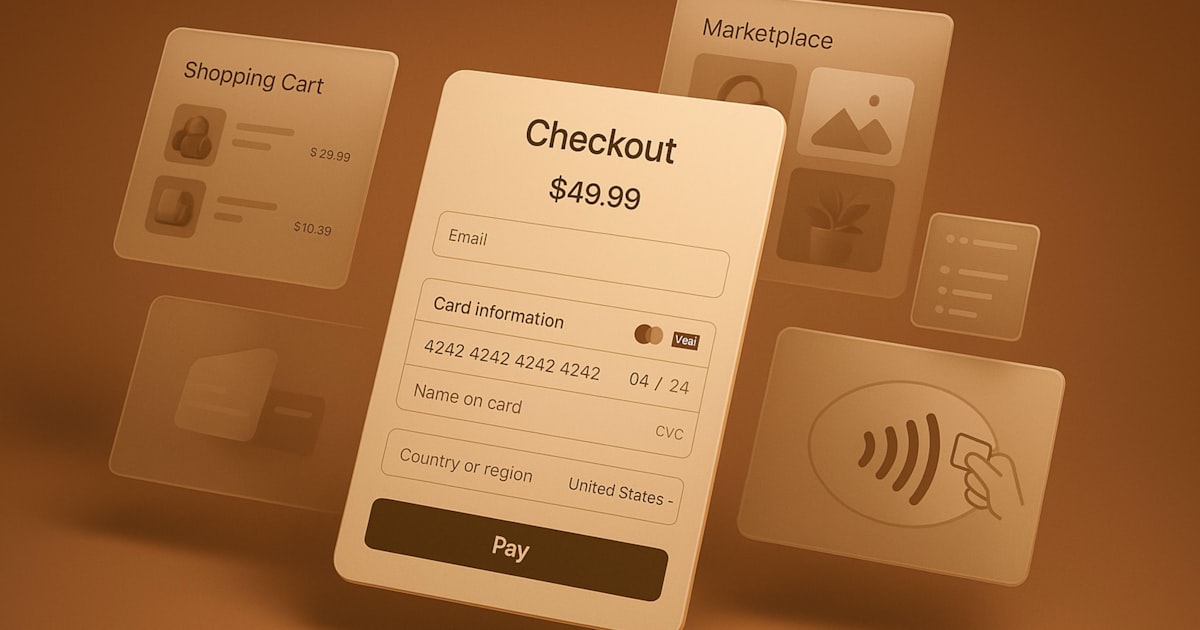
Cards saved through the old checkout were stored as Stripe Source or Card tokens sitting on the order, not as a PaymentMethod attached to a Stripe Customer. The new checkout only reuses attached PaymentMethods, so it refuses the old token. You cannot upgrade the token in place, since Stripe cannot mint a fresh attached PaymentMethod from a card number you never stored. Run a small Python or Node.js script that reads every saved WooCommerce payment token, checks it against Stripe, and removes any token the new checkout cannot reuse, so the shopper gets a clean prompt to re-enter their card instead of a repeated decline. Full code, tests, and a dry run guard are below.
The problem in plain words
The old WooCommerce Stripe checkout saved a card by keeping a Source id or a Card id, usually something like src_... or card_..., tucked into the order or the customer record. That was enough at the time, because the old checkout charged those tokens directly and nobody was asking for Strong Customer Authentication (SCA).
The new checkout is built around the Payment Element and Strong Customer Authentication. To charge a saved card safely off session, Stripe wants a PaymentMethod object that is explicitly attached to a Stripe Customer. A bare Source or Card token is not that. When the new checkout tries to reuse one of these old tokens, Stripe answers with an error such as "PaymentMethod was previously used without being attached to a Customer & Setup Intent," and the purchase fails before the shopper even sees a card form.
Why it happens
This is a normal side effect of upgrading a checkout, not a bug in either system. A few things line up to cause it:
- The legacy checkout stored a Source or Card id directly, since Stripe's older APIs let you charge those tokens without a Customer in the loop.
- The new checkout, and Strong Customer Authentication in general, require a
PaymentMethodthat is explicitly attached to a Stripe Customer before it can be reused off session. - Nothing on the WooCommerce side flags the old token as stale. It still shows up in "My account," looking exactly like a normal saved card, right up until someone tries to use it.
- Some tokens are PaymentMethods already, but from an even older bug or a partial migration, and were never attached to a customer either, so they fail the same way a raw Source does.
Stripe's own migration guidance is explicit that Sources for card payments are on a deprecation path and that reusable, SCA-compliant payments need a PaymentMethod attached to a Customer. See the citations at the end for the exact documentation.
You cannot repair an old token into a new one. Stripe has no way to attach a Customer to a card number it was never given directly, only a token that represents it. The only reliable fix is to detect which saved tokens the new checkout will reject and clear them, so the shopper is prompted once to enter their card again, this time saved the new, correct way.
The fix, as a flow
We do not touch the checkout itself. We add a script that walks every WooCommerce customer, reads their saved payment tokens, and checks each one against Stripe. A legacy Source or Card id is always dropped. A PaymentMethod is only dropped if Stripe no longer has it, or it exists but is not attached to any Stripe Customer. A healthy, attached PaymentMethod is left alone.
Build it step by step
Get access to both systems
You need a Stripe secret key and a WooCommerce REST API key pair (a consumer key and a consumer secret) with read and write access to customers. Create the WooCommerce key under WooCommerce, Settings, Advanced, REST API. Keep every value in environment variables, never in the file.
pip install stripe requests

export STRIPE_SECRET_KEY="sk_live_..."
export WOO_STORE_URL="https://yourstore.com"
export WOO_CONSUMER_KEY="ck_..."
export WOO_CONSUMER_SECRET="cs_..."
export DRY_RUN="true" # start safe, change to false to writenpm install stripe
export STRIPE_SECRET_KEY="sk_live_..."
export WOO_STORE_URL="https://yourstore.com"
export WOO_CONSUMER_KEY="ck_..."
export WOO_CONSUMER_SECRET="cs_..."
export DRY_RUN="true" // start safe, change to false to writeList every customer and their saved tokens
Page through WooCommerce customers, then ask the REST API for each customer's saved payment tokens. Each token carries the gateway id Stripe gave it, which is what we check next.
import os, requests
from requests.auth import HTTPBasicAuth

WOO_URL = os.environ["WOO_STORE_URL"].rstrip("/")
AUTH = HTTPBasicAuth(os.environ["WOO_CONSUMER_KEY"], os.environ["WOO_CONSUMER_SECRET"])

def customers_with_tokens():
    page = 1
    while True:
        r = requests.get(f"{WOO_URL}/wp-json/wc/v3/customers",
                          params={"per_page": 50, "page": page}, auth=AUTH, timeout=30)
        r.raise_for_status()
        batch = r.json()
        if not batch:
            return
        for customer in batch:
            yield customer
        page += 1

def get_tokens(customer_id):
    r = requests.get(f"{WOO_URL}/wp-json/wc/v3/customers/{customer_id}/payment_tokens",
                      auth=AUTH, timeout=30)
    if r.status_code == 404:
        return []
    r.raise_for_status()
return r.json()const WOO_URL = process.env.WOO_STORE_URL.replace(/\/$/, "");
const AUTH = "Basic " + Buffer.from(
`${process.env.WOO_CONSUMER_KEY}:${process.env.WOO_CONSUMER_SECRET}`
).toString("base64");
async function woo(path, options = {}) {
const res = await fetch(`${WOO_URL}/wp-json/wc/v3${path}`, {
...options,
headers: { "Content-Type": "application/json", Authorization: AUTH, ...(options.headers || {}) },
});
if (res.status === 404) return null;
if (!res.ok) throw new Error(`Woo ${path} returned ${res.status}`);
return res.json();
}
async function* customersWithTokens() {
let page = 1;
while (true) {
const batch = await woo(`/customers?per_page=50&page=${page}`);
if (!batch || !batch.length) return;
for (const customer of batch) yield customer;
page++;
}
}
async function getTokens(customerId) {
const tokens = await woo(`/customers/${customerId}/payment_tokens`);
return tokens || [];
}Look each token up on Stripe
The gateway id tells you which Stripe endpoint to call. A pm_... id is a PaymentMethod, so retrieve it that way. A src_... or card_... id is a legacy Source, so retrieve it as one. A token Stripe no longer recognizes comes back as an error, which we treat as "gone."
import stripe

stripe.api_key = os.environ["STRIPE_SECRET_KEY"]
PAYMENT_METHOD_PREFIX = "pm_"

def is_payment_method_shaped(gateway_id):
    return bool(gateway_id) and gateway_id.startswith(PAYMENT_METHOD_PREFIX)

def get_stripe_object(gateway_id):
    if not gateway_id:
        return None
    try:
        if is_payment_method_shaped(gateway_id):
            return stripe.PaymentMethod.retrieve(gateway_id)
        return stripe.Source.retrieve(gateway_id)
    except stripe.error.InvalidRequestError:
return Noneimport Stripe from "stripe";
const stripe = new Stripe(process.env.STRIPE_SECRET_KEY);
const PAYMENT_METHOD_PREFIX = "pm_";
function isPaymentMethodShaped(gatewayId) {
return Boolean(gatewayId) && gatewayId.startsWith(PAYMENT_METHOD_PREFIX);
}
async function getStripeObject(gatewayId) {
if (!gatewayId) return null;
try {
if (isPaymentMethodShaped(gatewayId)) return await stripe.paymentMethods.retrieve(gatewayId);
return await stripe.sources.retrieve(gatewayId);
} catch {
return null;
}
}Decide, with one pure function
Keep the decision in its own function that takes the WooCommerce token and the Stripe object and returns an action. This is the part worth testing carefully, since it decides whether a real customer's saved card gets removed. A legacy Source or Card id is always a drop. A PaymentMethod is a keep only when Stripe still has it and it is attached to a customer.
LEGACY_TOKEN_PREFIXES = ("src_", "card_")

def gateway_id_of(token):
    return (token.get("token") or "").strip() or None

def is_legacy_shaped(gateway_id):
    return bool(gateway_id) and gateway_id.startswith(LEGACY_TOKEN_PREFIXES)

def decide(token, stripe_object):
    gateway_id = gateway_id_of(token)
    if not gateway_id:
        return ("skip", "token has no gateway id")

    if is_payment_method_shaped(gateway_id):
        if stripe_object is None:
            return ("drop", "PaymentMethod no longer exists on Stripe")
        if not stripe_object.get("customer"):
            return ("drop", "PaymentMethod exists but is not attached to a Stripe Customer")
        return ("keep", "attached PaymentMethod, safe for the new checkout")

    if is_legacy_shaped(gateway_id):
        if stripe_object is None:
            return ("drop", "legacy token no longer exists on Stripe")
        if stripe_object.get("object") == "source" and stripe_object.get("status") != "chargeable":
            return ("drop", "legacy Source is no longer chargeable")
        return ("drop", "legacy Source or Card token, the new checkout cannot reuse it")

return ("skip", "not a recognized Stripe token shape")const LEGACY_TOKEN_PREFIXES = ["src_", "card_"];
export function gatewayIdOf(token) {
const id = (token.token || "").trim();
return id || null;
}
export function isLegacyShaped(gatewayId) {
return Boolean(gatewayId) && LEGACY_TOKEN_PREFIXES.some((p) => gatewayId.startsWith(p));
}
export function decide(token, stripeObject) {
const gatewayId = gatewayIdOf(token);
if (!gatewayId) return ["skip", "token has no gateway id"];
if (isPaymentMethodShaped(gatewayId)) {
if (!stripeObject) return ["drop", "PaymentMethod no longer exists on Stripe"];
if (!stripeObject.customer) return ["drop", "PaymentMethod exists but is not attached to a Stripe Customer"];
return ["keep", "attached PaymentMethod, safe for the new checkout"];
}
if (isLegacyShaped(gatewayId)) {
if (!stripeObject) return ["drop", "legacy token no longer exists on Stripe"];
if (stripeObject.object === "source" && stripeObject.status !== "chargeable") {
return ["drop", "legacy Source is no longer chargeable"];
}
return ["drop", "legacy Source or Card token, the new checkout cannot reuse it"];
}
return ["skip", "not a recognized Stripe token shape"];
}Drop the token and leave a note
When the action is drop, delete the WooCommerce payment token through the REST API and add a customer note explaining why, so a support agent looking at the account later understands what happened and can tell the shopper it is expected.
def drop_token(customer_id, token_id, reason):
    requests.delete(
        f"{WOO_URL}/wp-json/wc/v3/customers/{customer_id}/payment_tokens/{token_id}",
        auth=AUTH, timeout=30,
    ).raise_for_status()
    requests.post(
        f"{WOO_URL}/wp-json/wc/v3/customers/{customer_id}/notes",
        json={"note": f"Removed a saved card that the new checkout could not reuse: {reason}. "
                      f"The shopper will be asked to re-enter their card on the next purchase."},
        auth=AUTH, timeout=30,
).raise_for_status()async function dropToken(customerId, tokenId, reason) {
await woo(`/customers/${customerId}/payment_tokens/${tokenId}`, { method: "DELETE" });
await woo(`/customers/${customerId}/notes`, {
method: "POST",
body: JSON.stringify({
note: `Removed a saved card that the new checkout could not reuse: ${reason}. ` +
`The shopper will be asked to re-enter their card on the next purchase.`,
}),
});
}Wire it together with a dry run guard
The loop ties every piece together. Notice the dry run guard. Run it once with DRY_RUN on right after the checkout upgrade, read the list, confirm it looks right, then turn it off to let it write. It is also safe to run on a schedule afterward to catch anything new.
Always start with DRY_RUN=true. This script deletes saved cards from real customer accounts, so you want to see its plan before it acts. Once the report looks right, turn it off.
The full code
Here is the complete script in one file for each language. It reads settings from the environment, logs what it does, respects the dry run flag, and only ever removes a token it has confirmed the new checkout cannot reuse.
"""Find WooCommerce saved cards that the new checkout cannot charge, and clear them
so the shopper is prompted to re-enter their card instead of hitting a silent decline.
Safe by default (DRY_RUN=true). Run once after a checkout migration, or on a schedule.
"""
import os
import logging
import stripe
import requests
from requests.auth import HTTPBasicAuth
logging.basicConfig(level=logging.INFO, format="%(asctime)s %(levelname)s %(message)s")
log = logging.getLogger("repair_legacy_tokens")
stripe.api_key = os.environ.get("STRIPE_SECRET_KEY", "sk_test_dummy")
WOO_URL = os.environ.get("WOO_STORE_URL", "https://example.com").rstrip("/")
AUTH = HTTPBasicAuth(os.environ.get("WOO_CONSUMER_KEY", "ck_dummy"), os.environ.get("WOO_CONSUMER_SECRET", "cs_dummy"))
DRY_RUN = os.environ.get("DRY_RUN", "true").lower() == "true"
LEGACY_TOKEN_PREFIXES = ("src_", "card_")
PAYMENT_METHOD_PREFIX = "pm_"
def gateway_id_of(token):
"""The raw Stripe id WooCommerce stored for this saved payment token."""
return (token.get("token") or "").strip() or None
def is_legacy_shaped(gateway_id):
"""True when the id is from the old Sources/Cards world, not a PaymentMethod."""
return bool(gateway_id) and gateway_id.startswith(LEGACY_TOKEN_PREFIXES)
def is_payment_method_shaped(gateway_id):
return bool(gateway_id) and gateway_id.startswith(PAYMENT_METHOD_PREFIX)
def decide(token, stripe_object):
"""Pure decision: what should we do with one saved WooCommerce payment token.
token: dict with at least "token" (the Stripe id WooCommerce saved) and
"is_default" (bool). Shape matches customers/{id}/payment_tokens.
stripe_object: the retrieved Stripe object for that id (a PaymentMethod dict,
a legacy Source dict), or None when Stripe has no record of it
or the id was never even a Stripe id.
Returns (action, reason):
"keep" - a real PaymentMethod, attached to a customer, still usable
"drop" - the new checkout cannot charge this safely, remove the token
"skip" - nothing we recognize as a saved card token, leave it alone
"""
gateway_id = gateway_id_of(token)
if not gateway_id:
return ("skip", "token has no gateway id")
if is_payment_method_shaped(gateway_id):
if stripe_object is None:
return ("drop", "PaymentMethod no longer exists on Stripe")
if not stripe_object.get("customer"):
return ("drop", "PaymentMethod exists but is not attached to a Stripe Customer")
return ("keep", "attached PaymentMethod, safe for the new checkout")
if is_legacy_shaped(gateway_id):
if stripe_object is None:
return ("drop", "legacy token no longer exists on Stripe")
if stripe_object.get("object") == "source" and stripe_object.get("status") != "chargeable":
return ("drop", "legacy Source is no longer chargeable")
return ("drop", "legacy Source or Card token, the new checkout cannot reuse it")
return ("skip", "not a recognized Stripe token shape")
def get_stripe_object(gateway_id):
if not gateway_id:
return None
try:
if is_payment_method_shaped(gateway_id):
return stripe.PaymentMethod.retrieve(gateway_id)
return stripe.Source.retrieve(gateway_id)
except stripe.error.InvalidRequestError:
return None
def customers_with_tokens():
page = 1
while True:
r = requests.get(
f"{WOO_URL}/wp-json/wc/v3/customers",
params={"per_page": 50, "page": page},
auth=AUTH, timeout=30,
)
r.raise_for_status()
batch = r.json()
if not batch:
return
for customer in batch:
yield customer
page += 1
def get_tokens(customer_id):
r = requests.get(
f"{WOO_URL}/wp-json/wc/v3/customers/{customer_id}/payment_tokens",
auth=AUTH, timeout=30,
)
if r.status_code == 404:
return []
r.raise_for_status()
return r.json()
def drop_token(customer_id, token_id, reason):
requests.delete(
f"{WOO_URL}/wp-json/wc/v3/customers/{customer_id}/payment_tokens/{token_id}",
auth=AUTH, timeout=30,
).raise_for_status()
requests.post(
f"{WOO_URL}/wp-json/wc/v3/customers/{customer_id}/notes",
json={"note": f"Removed a saved card that the new checkout could not reuse: {reason}. "
f"The shopper will be asked to re-enter their card on the next purchase."},
auth=AUTH, timeout=30,
).raise_for_status()
def run():
dropped = 0
checked = 0
for customer in customers_with_tokens():
for token in get_tokens(customer["id"]):
checked += 1
gateway_id = gateway_id_of(token)
stripe_object = get_stripe_object(gateway_id)
action, reason = decide(token, stripe_object)
if action != "drop":
continue
log.info(
"Customer %s token %s: %s. %s",
customer["id"], token.get("id"), reason,
"would drop" if DRY_RUN else "dropping",
)
if not DRY_RUN:
drop_token(customer["id"], token["id"], reason)
dropped += 1
log.info("Done. Checked %d token(s). %d %s.", checked, dropped, "to drop" if DRY_RUN else "dropped")
if __name__ == "__main__":
run()/**
* Find WooCommerce saved cards that the new checkout cannot charge, and clear them
* so the shopper is prompted to re-enter their card instead of hitting a silent decline.
* Safe by default (DRY_RUN=true). Run once after a checkout migration, or on a schedule.
*/
import Stripe from "stripe";
import { pathToFileURL } from "node:url";
const stripe = new Stripe(process.env.STRIPE_SECRET_KEY || "sk_test_dummy");
const WOO_URL = (process.env.WOO_STORE_URL || "https://example.com").replace(/\/$/, "");
const AUTH = "Basic " + Buffer.from(
`${process.env.WOO_CONSUMER_KEY || "ck_dummy"}:${process.env.WOO_CONSUMER_SECRET || "cs_dummy"}`
).toString("base64");
const DRY_RUN = (process.env.DRY_RUN || "true").toLowerCase() === "true";
const LEGACY_TOKEN_PREFIXES = ["src_", "card_"];
const PAYMENT_METHOD_PREFIX = "pm_";
export function gatewayIdOf(token) {
const id = (token.token || "").trim();
return id || null;
}
export function isLegacyShaped(gatewayId) {
return Boolean(gatewayId) && LEGACY_TOKEN_PREFIXES.some((p) => gatewayId.startsWith(p));
}
export function isPaymentMethodShaped(gatewayId) {
return Boolean(gatewayId) && gatewayId.startsWith(PAYMENT_METHOD_PREFIX);
}
export function decide(token, stripeObject) {
const gatewayId = gatewayIdOf(token);
if (!gatewayId) return ["skip", "token has no gateway id"];
if (isPaymentMethodShaped(gatewayId)) {
if (!stripeObject) return ["drop", "PaymentMethod no longer exists on Stripe"];
if (!stripeObject.customer) return ["drop", "PaymentMethod exists but is not attached to a Stripe Customer"];
return ["keep", "attached PaymentMethod, safe for the new checkout"];
}
if (isLegacyShaped(gatewayId)) {
if (!stripeObject) return ["drop", "legacy token no longer exists on Stripe"];
if (stripeObject.object === "source" && stripeObject.status !== "chargeable") {
return ["drop", "legacy Source is no longer chargeable"];
}
return ["drop", "legacy Source or Card token, the new checkout cannot reuse it"];
}
return ["skip", "not a recognized Stripe token shape"];
}
async function woo(path, options = {}) {
const res = await fetch(`${WOO_URL}/wp-json/wc/v3${path}`, {
...options,
headers: { "Content-Type": "application/json", Authorization: AUTH, ...(options.headers || {}) },
});
if (res.status === 404) return null;
if (!res.ok) throw new Error(`Woo ${path} returned ${res.status}`);
return res.json();
}
async function getStripeObject(gatewayId) {
if (!gatewayId) return null;
try {
if (isPaymentMethodShaped(gatewayId)) return await stripe.paymentMethods.retrieve(gatewayId);
return await stripe.sources.retrieve(gatewayId);
} catch {
return null;
}
}
async function* customersWithTokens() {
let page = 1;
while (true) {
const batch = await woo(`/customers?per_page=50&page=${page}`);
if (!batch || !batch.length) return;
for (const customer of batch) yield customer;
page++;
}
}
async function getTokens(customerId) {
const tokens = await woo(`/customers/${customerId}/payment_tokens`);
return tokens || [];
}
async function dropToken(customerId, tokenId, reason) {
  await woo(`/customers/${customerId}/payment_tokens/${tokenId}`, { method: "DELETE" });
  await woo(`/customers/${customerId}/notes`, {
    method: "POST",
    body: JSON.stringify({
      note: `Removed a saved card that the new checkout could not reuse: ${reason}. ` +
            `The shopper will be asked to re-enter their card on the next purchase.`,
    }),
  });
}
export async function run() {
let dropped = 0;
let checked = 0;
for await (const customer of customersWithTokens()) {
for (const token of await getTokens(customer.id)) {
checked++;
const gatewayId = gatewayIdOf(token);
const stripeObject = await getStripeObject(gatewayId);
const [action, reason] = decide(token, stripeObject);
if (action !== "drop") continue;
console.log(
`Customer ${customer.id} token ${token.id}: ${reason}. ${DRY_RUN ? "would drop" : "dropping"}`
);
if (!DRY_RUN) await dropToken(customer.id, token.id, reason);
dropped++;
}
}
console.log(`Done. Checked ${checked} token(s). ${dropped} ${DRY_RUN ? "to drop" : "dropped"}.`);
}
if (import.meta.url === pathToFileURL(process.argv[1]).href) {
run().catch((e) => { console.error(e); process.exit(1); });
}Add a test
The decision rule is the part most worth testing, because it decides whether a real shopper's saved card gets removed. Because decide is pure, the test needs no network and no Stripe account. It just feeds in plain objects and checks the action.
from repair_legacy_tokens import decide, gateway_id_of, is_legacy_shaped, is_payment_method_shaped


def token(**over):
    base = {"id": 1, "token": "pm_123", "is_default": False}
    base.update(over)
    return base


def payment_method(**over):
    base = {"object": "payment_method", "id": "pm_123", "customer": "cus_1"}
    base.update(over)
    return base


def source(**over):
    base = {"object": "source", "id": "src_123", "status": "chargeable"}
    base.update(over)
    return base


def test_keep_attached_payment_method():
    assert decide(token(token="pm_123"), payment_method())[0] == "keep"


def test_drop_payment_method_missing_on_stripe():
    assert decide(token(token="pm_123"), None)[0] == "drop"


def test_drop_payment_method_not_attached_to_customer():
    pm = payment_method(customer=None)
    assert decide(token(token="pm_123"), pm)[0] == "drop"


def test_drop_legacy_source_token():
    assert decide(token(token="src_abc"), source())[0] == "drop"


def test_drop_legacy_card_token():
    assert decide(token(token="card_abc"), None)[0] == "drop"


def test_drop_legacy_source_no_longer_chargeable():
    assert decide(token(token="src_abc"), source(status="consumed"))[0] == "drop"


def test_skip_when_no_gateway_id():
    assert decide(token(token=""), None)[0] == "skip"


def test_skip_unrecognized_token_shape():
assert decide(token(token="tok_weird"), None)[0] == "skip"import { test } from "node:test";
import assert from "node:assert/strict";
import { decide, gatewayIdOf, isLegacyShaped, isPaymentMethodShaped } from "./repair-legacy-tokens.js";
const token = (over = {}) => ({ id: 1, token: "pm_123", is_default: false, ...over });
const paymentMethod = (over = {}) => ({ object: "payment_method", id: "pm_123", customer: "cus_1", ...over });
const source = (over = {}) => ({ object: "source", id: "src_123", status: "chargeable", ...over });
test("keep attached PaymentMethod", () => {
assert.equal(decide(token({ token: "pm_123" }), paymentMethod())[0], "keep");
});
test("drop PaymentMethod missing on Stripe", () => {
assert.equal(decide(token({ token: "pm_123" }), null)[0], "drop");
});
test("drop PaymentMethod not attached to a customer", () => {
assert.equal(decide(token({ token: "pm_123" }), paymentMethod({ customer: null }))[0], "drop");
});
test("drop legacy Source token", () => {
assert.equal(decide(token({ token: "src_abc" }), source())[0], "drop");
});
test("drop legacy card token", () => {
assert.equal(decide(token({ token: "card_abc" }), null)[0], "drop");
});
test("skip when no gateway id", () => {
assert.equal(decide(token({ token: "" }), null)[0], "skip");
});Case studies
The subscription box that lost half its renewals
A subscription store moved to the new Payment Element checkout on a Friday. By Monday, renewal failures had tripled. Every failed renewal traced back to a customer whose card was saved months earlier through the old checkout, as a bare Source token nobody had ever attached to a Stripe Customer.
Running the script in dry run listed the exact accounts. After a real run, those customers saw a normal "please re-enter your card" prompt on their next login instead of a mystery decline, and support tickets about "my card stopped working" stopped within a day.
The store that thought it had already migrated everyone
A merchant assumed an earlier one-off migration script had converted every saved card to a PaymentMethod. It had, mostly, but a batch of PaymentMethods from that run were created without ever being attached to the matching Stripe Customer, so they failed the exact same way an old Source would.
Because the script checks attachment, not just the token prefix, it caught these too and cleared them alongside the genuinely legacy tokens, closing a gap the first migration had missed.
After this runs once, every saved card left on the account is a real, attached PaymentMethod the new checkout can charge with confidence. Shoppers with a stale token get one clean prompt to re-enter their card, not a repeating decline. Keep the script handy to run again after any future gateway change.
FAQ
Why did my customers' saved cards stop working after I upgraded checkout?
Cards saved in the old checkout were stored as Stripe Source or Card tokens, not as PaymentMethod objects attached to a Stripe Customer. The new SCA-ready checkout only trusts attached PaymentMethods, so it rejects the old token with an error like PaymentMethod was previously used without being attached to a Customer and Setup Intent.
Can I automatically convert every old saved card to a new one?
Not safely. Stripe cannot mint a brand new attached PaymentMethod from a raw card number you never stored, since you never had one to begin with, only a token. The reliable fix is to detect the tokens that will fail and clear them so the shopper is prompted to re-enter their card once, at their next purchase.
Is it safe to remove a saved card token with a script?
Yes, when the script only removes tokens it confirmed are legacy Source or Card ids, or PaymentMethods Stripe no longer recognizes or that are not attached to a customer. It never touches a healthy attached PaymentMethod. Start in dry run mode to review the list before it deletes anything.
Related field notes
Citations
On the problem:
- Stripe docs: Sources for card payments are on a deprecation path in favor of PaymentMethods. docs.stripe.com/sources/cards
- Stripe docs: Strong Customer Authentication requires a PaymentMethod attached to a Customer for off-session reuse. docs.stripe.com/strong-customer-authentication
- WooCommerce docs: saved payment methods and how tokens are stored per customer. woocommerce.com/document/woopayments/subscriptions
On the solution:
- Stripe docs: migrating Sources to PaymentMethods and attaching them to a Customer. docs.stripe.com/payments/sources-cards-migration
- Stripe API: retrieve a PaymentMethod and check its attached customer. docs.stripe.com/api/payment_methods/retrieve
- WooCommerce REST API: customers, payment tokens, and customer notes. woocommerce.github.io/woocommerce-rest-api-docs
Stuck on a tricky one?
If you have a bug in WooCommerce, WooCommerce Subscriptions, or the WooCommerce Stripe gateway that you would rather hand off, this is the kind of work I do. Message me and we can work through it together.
Did this fix your checkout upgrade?
If this saved you a pile of support tickets about "my card stopped working," you can buy me a coffee. It is the best way to keep these field notes free and growing.
Buy me a coffee on Ko-fi