Reconciler Fulfillment
3PL fulfillment out of sync
The warehouse packed the box, handed it to the carrier, and even has a tracking number to prove it. But Shopify still shows the fulfillment order as In progress, so the order looks unfulfilled in reports, customers do not get a shipping email, and staff waste time trying to fulfill something that already shipped. Here is why the two sides drift apart and a small script that finds the orders stuck this way and flags them for review, without touching a state it is not allowed to change.
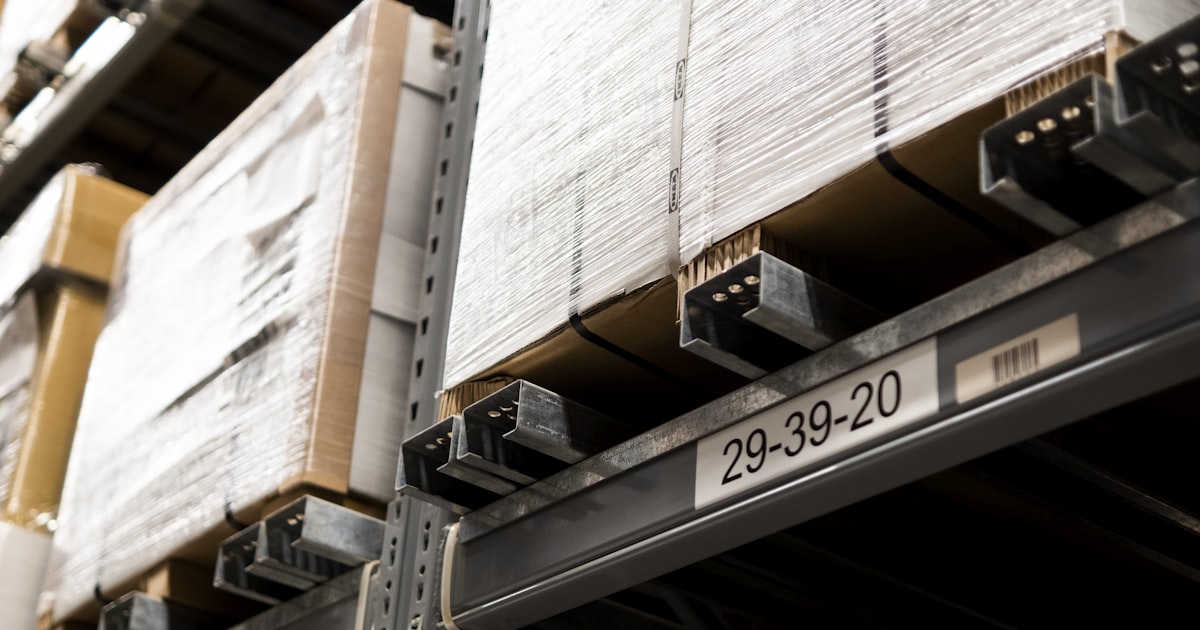
A 3PL fulfillment order goes out of sync when the warehouse's own system reports the shipment as done, but the update that tells Shopify to close that step never lands. In Shopify's data this shows up as a Fulfillment with status: SUCCESS and a real tracking number, sitting under a FulfillmentOrder whose status is still IN_PROGRESS or OPEN. Run a small Python or Node.js script that walks recent orders, checks each fulfillment order against its own fulfillments, and tags the mismatched ones for review with tagsAdd. It never force-closes a fulfillment order, since that transition belongs to the fulfillment service app that accepted the request. Full code, tests, and a dry run guard are below.
The problem in plain words
When you fulfill an order from your own location, Shopify controls every step, so the status moves in one place and stays consistent. A third-party warehouse is different. The 3PL runs its own system, and Shopify only learns what happened when the 3PL's app sends the matching update back, usually through the fulfillment service API or a webhook.
Most of the time that round trip works fine. But it is still a network call between two separate systems, and network calls fail. A webhook can time out, a retry can be missed, or the 3PL's integration can mark the shipment done on its own side without ever telling Shopify. The result is a fulfillment order that Shopify still lists as needing attention, even though the box left the warehouse days ago with a tracking number attached.
Why it happens
Shopify moves a fulfillment order through its lifecycle only in response to events it is told about. With a 3PL in the loop, a few common gaps cause the drift:
- The 3PL's system marks the shipment complete internally, but the API call or webhook that reports it back to Shopify times out or is never retried.
- A carrier tracking number is created and attached to the fulfillment, but a separate step that should move the fulfillment order forward is skipped by the integration.
- A temporary outage on either side drops the update entirely, and neither system automatically checks back later to reconcile.
- A middleware app sits between Shopify and the 3PL, and a bug or a version mismatch in that middleware quietly loses part of the message.
This is a common source of confusion for merchants who work with fulfillment partners. Customer support sees an order sitting In progress and assumes it has not shipped, while the customer already has a tracking link in their inbox from the carrier directly. Shopify does show a Fulfillment record with a status once it exists, but nothing in the Admin UI proactively flags the mismatch between that record and the fulfillment order it belongs to. See the citations at the end for the exact docs on the lifecycle.
Only the fulfillment service app that accepted the request is allowed to close or move a fulfillment order on Shopify's side. So the safe pattern here is not "force every stuck order closed." It is "find the ones where the evidence already says shipped, and put them in front of a human." We do that by checking two independent signals together: the fulfillment's own status and whether it actually carries a tracking number, then tagging the order rather than changing its state ourselves.
The fix, as a flow
We do not touch the live fulfillment lifecycle. We add a job that lists recent orders with their fulfillment orders and fulfillments, checks each fulfillment order against the fulfillments attached to it, and tags for review only the ones where a fulfillment has already succeeded with tracking while the fulfillment order itself is still open. Everything already in sync is left alone.
Build it step by step
Get an Admin API access token
Create a custom app in your Shopify admin under Settings, Apps and sales channels, Develop apps. Give it the read_orders, one of the fulfillment order read scopes such as read_merchant_managed_fulfillment_orders or read_third_party_fulfillment_orders depending on how your 3PL is connected, and write_orders for the tag. Install it to get an Admin API access token that starts with shpat_. Keep the token and the shop domain in environment variables, never in the file.
pip install requests

export SHOPIFY_SHOP="yourstore.myshopify.com"
export SHOPIFY_ACCESS_TOKEN="shpat_..."
export LOOKBACK_DAYS="14"
export REVIEW_TAG="3pl-out-of-sync"
export DRY_RUN="true" # start safe, change to false to write// Node 18+ has fetch built in, no dependencies needed
export SHOPIFY_SHOP="yourstore.myshopify.com"
export SHOPIFY_ACCESS_TOKEN="shpat_..."
export LOOKBACK_DAYS="14"
export REVIEW_TAG="3pl-out-of-sync"
export DRY_RUN="true" // start safe, change to false to writeTalk to the Admin GraphQL API
Every call goes to one GraphQL endpoint with your token in the X-Shopify-Access-Token header. A small helper sends a query and returns the data, and raises if Shopify reports an error. We use this same helper to read orders and to run the tag mutation.
import os, requests

SHOP = os.environ["SHOPIFY_SHOP"]
TOKEN = os.environ["SHOPIFY_ACCESS_TOKEN"]
API_VERSION = os.environ.get("SHOPIFY_API_VERSION", "2025-01")
ENDPOINT = f"https://{SHOP}/admin/api/{API_VERSION}/graphql.json"

def gql(query, variables=None):
    r = requests.post(
        ENDPOINT,
        json={"query": query, "variables": variables or {}},
        headers={"X-Shopify-Access-Token": TOKEN, "Content-Type": "application/json"},
        timeout=30,
    )
    r.raise_for_status()
    body = r.json()
    if body.get("errors"):
        raise RuntimeError(body["errors"])
return body["data"]const SHOP = process.env.SHOPIFY_SHOP;
const TOKEN = process.env.SHOPIFY_ACCESS_TOKEN;
const API_VERSION = process.env.SHOPIFY_API_VERSION || "2025-01";
const ENDPOINT = `https://${SHOP}/admin/api/${API_VERSION}/graphql.json`;
async function gql(query, variables = {}) {
const res = await fetch(ENDPOINT, {
method: "POST",
headers: { "X-Shopify-Access-Token": TOKEN, "Content-Type": "application/json" },
body: JSON.stringify({ query, variables }),
});
if (!res.ok) throw new Error(`Shopify ${res.status}`);
const body = await res.json();
if (body.errors) throw new Error(JSON.stringify(body.errors));
return body.data;
}List recent orders with their fulfillment orders
Ask for orders created in your lookback window, and for each order pull its fulfillment orders together with the fulfillments attached to each one, including status and tracking info. We page through with a cursor so the job handles a busy store.
ORDERS_QUERY = """
query($cursor: String, $q: String!) {
  orders(first: 25, after: $cursor, query: $q) {
    pageInfo { hasNextPage endCursor }
    nodes {
      id name tags
      fulfillmentOrders(first: 10) {
        nodes {
          id status
          fulfillments(first: 10) {
            nodes { id status trackingInfo(first: 5) { company number url } }
          }
        }
      }
    }
  }
}"""

def recent_orders():
    q = f"created_at:>-{LOOKBACK_DAYS}d"
    cursor = None
    while True:
        data = gql(ORDERS_QUERY, {"cursor": cursor, "q": q})["orders"]
        for node in data["nodes"]:
            yield node
        if not data["pageInfo"]["hasNextPage"]:
            return
cursor = data["pageInfo"]["endCursor"]const ORDERS_QUERY = `
query($cursor: String, $q: String!) {
orders(first: 25, after: $cursor, query: $q) {
pageInfo { hasNextPage endCursor }
nodes {
id name tags
fulfillmentOrders(first: 10) {
nodes {
id status
fulfillments(first: 10) {
nodes { id status trackingInfo(first: 5) { company number url } }
}
}
}
}
}
}`;
async function* recentOrders() {
const q = `created_at:>-${LOOKBACK_DAYS}d`;
let cursor = null;
while (true) {
const data = (await gql(ORDERS_QUERY, { cursor, q })).orders;
for (const node of data.nodes) yield node;
if (!data.pageInfo.hasNextPage) return;
cursor = data.pageInfo.endCursor;
}
}Decide, with pure functions
Keep the decision in its own functions that take plain order data and return true or false. Pure functions like these are easy to read and easy to test, which we do later. A fulfillment counts as shipped only when it succeeded and carries a real tracking number. A fulfillment order counts as out of sync only when it is still In progress or Open while at least one of its fulfillments already shipped. If either half of that is missing, we leave the order alone.
OPEN_FULFILLMENT_ORDER_STATUSES = {"IN_PROGRESS", "OPEN"}

def has_shipped_tracking(fulfillment):
    if fulfillment.get("status") != "SUCCESS":
        return False
    tracking = fulfillment.get("trackingInfo") or []
    return any((t.get("number") or "").strip() for t in tracking)

def fulfillment_order_out_of_sync(fulfillment_order):
    if fulfillment_order.get("status") not in OPEN_FULFILLMENT_ORDER_STATUSES:
        return False
    fulfillments = (fulfillment_order.get("fulfillments") or {}).get("nodes") or []
    return any(has_shipped_tracking(f) for f in fulfillments)

def order_needs_review(order):
    fulfillment_orders = (order.get("fulfillmentOrders") or {}).get("nodes") or []
return any(fulfillment_order_out_of_sync(fo) for fo in fulfillment_orders)const OPEN_FULFILLMENT_ORDER_STATUSES = new Set(["IN_PROGRESS", "OPEN"]);
export function hasShippedTracking(fulfillment) {
if (fulfillment.status !== "SUCCESS") return false;
const tracking = fulfillment.trackingInfo || [];
return tracking.some((t) => (t.number || "").trim().length > 0);
}
export function fulfillmentOrderOutOfSync(fulfillmentOrder) {
if (!OPEN_FULFILLMENT_ORDER_STATUSES.has(fulfillmentOrder.status)) return false;
const fulfillments = fulfillmentOrder.fulfillments?.nodes || [];
return fulfillments.some(hasShippedTracking);
}
export function orderNeedsReview(order) {
const fulfillmentOrders = order.fulfillmentOrders?.nodes || [];
return fulfillmentOrders.some(fulfillmentOrderOutOfSync);
}Flag it, do not force it
When an order needs review, add a plain review tag with the tagsAdd mutation. We do not call anything that closes or moves the fulfillment order ourselves, because that mutation can only be called by the fulfillment service app that accepted the request in the first place. Tagging is a write any app with write_orders can make, and it puts the order in front of a human, or a dashboard filter, or the 3PL's own reconciliation job.
TAGS_ADD = """
mutation($id: ID!, $tags: [String!]!) {
  tagsAdd(id: $id, tags: $tags) { node { id } userErrors { field message } }
}"""

def tag_for_review(order_id, review_tag):
    result = gql(TAGS_ADD, {"id": order_id, "tags": [review_tag]})["tagsAdd"]
    if result["userErrors"]:
raise RuntimeError(result["userErrors"])const TAGS_ADD = `
mutation($id: ID!, $tags: [String!]!) {
tagsAdd(id: $id, tags: $tags) { node { id } userErrors { field message } }
}`;
async function tagForReview(orderId, reviewTag) {
const result = (await gql(TAGS_ADD, { id: orderId, tags: [reviewTag] })).tagsAdd;
if (result.userErrors.length) throw new Error(JSON.stringify(result.userErrors));
}Wire it together with a dry run guard
The loop ties every piece together. Notice the dry run guard. On the first few runs, leave DRY_RUN on so the script only reports which orders it would tag. Read the output, agree with it, then switch it off to let it write. Run it on a schedule that matches how quickly you want to catch a drifted fulfillment, for example once every few hours.
Always start with DRY_RUN=true, and remember the script only ever adds a review tag. It never calls a mutation that closes or moves a fulfillment order, since that action belongs to the fulfillment service app that accepted the request, not to a general reconciliation script.
The full code
Here is the complete script in one file for each language. It reads settings from the environment, logs what it does, respects the dry run flag, and is safe to run again and again because it only reads fulfillment data and adds a tag, it never forces a state change on a fulfillment order.
"""Flag Shopify fulfillment orders the 3PL already shipped but Shopify still shows open.

A third-party warehouse ships the box and hands the carrier a tracking number, but the
webhook or API call that was supposed to tell Shopify "this is done" never lands, or it
lands and silently fails. The result: a Fulfillment record exists with status SUCCESS
and real tracking info, yet the parent FulfillmentOrder is still IN_PROGRESS or OPEN.
Shopify keeps waving at the merchant to fulfill an order that is already on a truck.

This job walks recent orders, looks at each fulfillment order together with the
fulfillments attached to it, and tags for review the ones where the warehouse has
clearly finished the job but Shopify has not caught up. It never forces a fulfillment
order closed itself, since that transition belongs to the fulfillment service app that
accepted the request. Tagging is the safe, universally permitted action, and a human
or the 3PL's own reconciliation job can move or close the order once flagged.
Run on a schedule. Safe to run again and again.
"""
import os
import logging
import requests

logging.basicConfig(level=logging.INFO, format="%(asctime)s %(levelname)s %(message)s")
log = logging.getLogger("flag_fulfillment_out_of_sync")

SHOP = os.environ["SHOPIFY_SHOP"]
TOKEN = os.environ["SHOPIFY_ACCESS_TOKEN"]
API_VERSION = os.environ.get("SHOPIFY_API_VERSION", "2025-01")
ENDPOINT = f"https://{SHOP}/admin/api/{API_VERSION}/graphql.json"
LOOKBACK_DAYS = int(os.environ.get("LOOKBACK_DAYS", "14"))
REVIEW_TAG = os.environ.get("REVIEW_TAG", "3pl-out-of-sync")
DRY_RUN = os.environ.get("DRY_RUN", "true").lower() == "true"

OPEN_FULFILLMENT_ORDER_STATUSES = {"IN_PROGRESS", "OPEN"}

ORDERS_QUERY = """
query($cursor: String, $q: String!) {
  orders(first: 25, after: $cursor, query: $q) {
    pageInfo { hasNextPage endCursor }
    nodes {
      id
      name
      tags
      fulfillmentOrders(first: 10) {
        nodes {
          id
          status
          fulfillments(first: 10) {
            nodes {
              id
              status
              trackingInfo(first: 5) { company number url }
            }
          }
        }
      }
    }
  }
}"""

TAGS_ADD = """
mutation($id: ID!, $tags: [String!]!) {
  tagsAdd(id: $id, tags: $tags) { node { id } userErrors { field message } }
}"""


def gql(query, variables=None):
    r = requests.post(
        ENDPOINT,
        json={"query": query, "variables": variables or {}},
        headers={"X-Shopify-Access-Token": TOKEN, "Content-Type": "application/json"},
        timeout=30,
    )
    r.raise_for_status()
    body = r.json()
    if body.get("errors"):
        raise RuntimeError(body["errors"])
    return body["data"]


def has_shipped_tracking(fulfillment):
    """A fulfillment counts as shipped when the 3PL reported success with a real tracking number."""
    if fulfillment.get("status") != "SUCCESS":
        return False
    tracking = fulfillment.get("trackingInfo") or []
    return any((t.get("number") or "").strip() for t in tracking)


def fulfillment_order_out_of_sync(fulfillment_order):
    """Pure decision: does this fulfillment order look stuck while the 3PL already shipped it?

    True only when Shopify still reports the fulfillment order as IN_PROGRESS or OPEN,
    and at least one linked fulfillment already succeeded with tracking attached.
    """
    if fulfillment_order.get("status") not in OPEN_FULFILLMENT_ORDER_STATUSES:
        return False
    fulfillments = (fulfillment_order.get("fulfillments") or {}).get("nodes") or []
    return any(has_shipped_tracking(f) for f in fulfillments)


def order_needs_review(order):
    """An order needs review when any of its fulfillment orders is out of sync."""
    fulfillment_orders = (order.get("fulfillmentOrders") or {}).get("nodes") or []
    return any(fulfillment_order_out_of_sync(fo) for fo in fulfillment_orders)


def tag_for_review(order_id, review_tag):
    result = gql(TAGS_ADD, {"id": order_id, "tags": [review_tag]})["tagsAdd"]
    if result["userErrors"]:
        raise RuntimeError(result["userErrors"])


def recent_orders():
    q = f"created_at:>-{LOOKBACK_DAYS}d"
    cursor = None
    while True:
        data = gql(ORDERS_QUERY, {"cursor": cursor, "q": q})["orders"]
        for node in data["nodes"]:
            yield node
        if not data["pageInfo"]["hasNextPage"]:
            return
        cursor = data["pageInfo"]["endCursor"]


def run():
    flagged = 0
    for order in recent_orders():
        if not order_needs_review(order):
            continue
        if REVIEW_TAG in (order.get("tags") or []):
            continue
        log.warning("Order %s has a shipped fulfillment order still open. %s",
                    order["name"], "would tag" if DRY_RUN else "tagging")
        if not DRY_RUN:
            tag_for_review(order["id"], REVIEW_TAG)
        flagged += 1
    log.info("Done. %d order(s) %s.", flagged, "to tag" if DRY_RUN else "tagged")


if __name__ == "__main__":
run()/**
* Flag Shopify fulfillment orders the 3PL already shipped but Shopify still shows open.
*
* A third-party warehouse ships the box and hands the carrier a tracking number, but the
* webhook or API call that was supposed to tell Shopify "this is done" never lands, or it
* lands and silently fails. The result: a Fulfillment record exists with status SUCCESS
* and real tracking info, yet the parent FulfillmentOrder is still IN_PROGRESS or OPEN.
* Shopify keeps waving at the merchant to fulfill an order that is already on a truck.
*
* This job walks recent orders, looks at each fulfillment order together with the
* fulfillments attached to it, and tags for review the ones where the warehouse has
* clearly finished the job but Shopify has not caught up. It never forces a fulfillment
* order closed itself, since that transition belongs to the fulfillment service app that
* accepted the request. Tagging is the safe, universally permitted action. Run on a
* schedule. Safe to run again and again.
*/
import { pathToFileURL } from "node:url";
const SHOP = process.env.SHOPIFY_SHOP || "example.myshopify.com";
const TOKEN = process.env.SHOPIFY_ACCESS_TOKEN || "shpat_dummy";
const API_VERSION = process.env.SHOPIFY_API_VERSION || "2025-01";
const ENDPOINT = `https://${SHOP}/admin/api/${API_VERSION}/graphql.json`;
const LOOKBACK_DAYS = Number(process.env.LOOKBACK_DAYS || 14);
const REVIEW_TAG = process.env.REVIEW_TAG || "3pl-out-of-sync";
const DRY_RUN = (process.env.DRY_RUN || "true").toLowerCase() === "true";
const OPEN_FULFILLMENT_ORDER_STATUSES = new Set(["IN_PROGRESS", "OPEN"]);
/** A fulfillment counts as shipped when the 3PL reported success with a real tracking number. */
export function hasShippedTracking(fulfillment) {
if (fulfillment.status !== "SUCCESS") return false;
const tracking = fulfillment.trackingInfo || [];
return tracking.some((t) => (t.number || "").trim().length > 0);
}
/**
* Pure decision: does this fulfillment order look stuck while the 3PL already shipped it?
*
* True only when Shopify still reports the fulfillment order as IN_PROGRESS or OPEN,
* and at least one linked fulfillment already succeeded with tracking attached.
*/
export function fulfillmentOrderOutOfSync(fulfillmentOrder) {
if (!OPEN_FULFILLMENT_ORDER_STATUSES.has(fulfillmentOrder.status)) return false;
const fulfillments = fulfillmentOrder.fulfillments?.nodes || [];
return fulfillments.some(hasShippedTracking);
}
/** An order needs review when any of its fulfillment orders is out of sync. */
export function orderNeedsReview(order) {
const fulfillmentOrders = order.fulfillmentOrders?.nodes || [];
return fulfillmentOrders.some(fulfillmentOrderOutOfSync);
}
async function gql(query, variables = {}) {
const res = await fetch(ENDPOINT, {
method: "POST",
headers: { "X-Shopify-Access-Token": TOKEN, "Content-Type": "application/json" },
body: JSON.stringify({ query, variables }),
});
if (!res.ok) throw new Error(`Shopify ${res.status}`);
const body = await res.json();
if (body.errors) throw new Error(JSON.stringify(body.errors));
return body.data;
}
const ORDERS_QUERY = `
query($cursor: String, $q: String!) {
orders(first: 25, after: $cursor, query: $q) {
pageInfo { hasNextPage endCursor }
nodes {
id
name
tags
fulfillmentOrders(first: 10) {
nodes {
id
status
fulfillments(first: 10) {
nodes {
id
status
trackingInfo(first: 5) { company number url }
}
}
}
}
}
}
}`;
const TAGS_ADD = `
mutation($id: ID!, $tags: [String!]!) {
tagsAdd(id: $id, tags: $tags) { node { id } userErrors { field message } }
}`;
async function* recentOrders() {
const q = `created_at:>-${LOOKBACK_DAYS}d`;
let cursor = null;
while (true) {
const data = (await gql(ORDERS_QUERY, { cursor, q })).orders;
for (const node of data.nodes) yield node;
if (!data.pageInfo.hasNextPage) return;
cursor = data.pageInfo.endCursor;
}
}
async function tagForReview(orderId, reviewTag) {
const result = (await gql(TAGS_ADD, { id: orderId, tags: [reviewTag] })).tagsAdd;
if (result.userErrors.length) throw new Error(JSON.stringify(result.userErrors));
}
export async function run() {
let flagged = 0;
for await (const order of recentOrders()) {
if (!orderNeedsReview(order)) continue;
if ((order.tags || []).includes(REVIEW_TAG)) continue;
console.warn(`Order ${order.name} has a shipped fulfillment order still open. ${DRY_RUN ? "would tag" : "tagging"}`);
if (!DRY_RUN) await tagForReview(order.id, REVIEW_TAG);
flagged++;
}
console.log(`Done. ${flagged} order(s) ${DRY_RUN ? "to tag" : "tagged"}.`);
}
if (import.meta.url === pathToFileURL(process.argv[1]).href) {
run().catch((err) => { console.error(err); process.exit(1); });
}Add a test
The decision functions are the part most worth testing, because they decide which real orders get flagged. Because we kept fulfillment_order_out_of_sync and order_needs_review pure, the tests need no network and no Shopify account. They just feed in plain objects shaped like the GraphQL response and check the answer.
from flag_fulfillment_out_of_sync import (
    fulfillment_order_out_of_sync,
    has_shipped_tracking,
    order_needs_review,
)


def tracking(number="1Z999", company="UPS"):
    return {"company": company, "number": number, "url": "https://example.com/track"}


def fulfillment(status="SUCCESS", tracking_info=None):
    return {"status": status, "trackingInfo": tracking_info if tracking_info is not None else [tracking()]}


def fulfillment_order(status="IN_PROGRESS", fulfillments=None):
    return {"status": status, "fulfillments": {"nodes": fulfillments if fulfillments is not None else []}}


def order(fulfillment_orders):
    return {"fulfillmentOrders": {"nodes": fulfillment_orders}}


def test_out_of_sync_when_in_progress_but_shipped_with_tracking():
    fo = fulfillment_order(status="IN_PROGRESS", fulfillments=[fulfillment()])
    assert fulfillment_order_out_of_sync(fo) is True


def test_not_out_of_sync_when_closed():
    fo = fulfillment_order(status="CLOSED", fulfillments=[fulfillment()])
    assert fulfillment_order_out_of_sync(fo) is False


def test_not_out_of_sync_when_success_but_no_tracking_number():
    empty_tracking = [{"company": "UPS", "number": "", "url": ""}]
    fo = fulfillment_order(status="IN_PROGRESS", fulfillments=[fulfillment(tracking_info=empty_tracking)])
    assert fulfillment_order_out_of_sync(fo) is False


def test_order_needs_review_true_when_one_fulfillment_order_out_of_sync():
    o = order([
        fulfillment_order(status="CLOSED", fulfillments=[fulfillment()]),
        fulfillment_order(status="IN_PROGRESS", fulfillments=[fulfillment()]),
    ])
assert order_needs_review(o) is Trueimport { test } from "node:test";
import assert from "node:assert/strict";
import {
hasShippedTracking,
fulfillmentOrderOutOfSync,
orderNeedsReview,
} from "./flag-fulfillment-out-of-sync.js";
const tracking = (number = "1Z999", company = "UPS") => ({ company, number, url: "https://example.com/track" });
const fulfillment = ({ status = "SUCCESS", trackingInfo } = {}) => ({
status,
trackingInfo: trackingInfo !== undefined ? trackingInfo : [tracking()],
});
const fulfillmentOrder = ({ status = "IN_PROGRESS", fulfillments = [] } = {}) => ({
status,
fulfillments: { nodes: fulfillments },
});
const order = (fulfillmentOrders) => ({ fulfillmentOrders: { nodes: fulfillmentOrders } });
test("out of sync when in progress but shipped with tracking", () => {
const fo = fulfillmentOrder({ status: "IN_PROGRESS", fulfillments: [fulfillment()] });
assert.equal(fulfillmentOrderOutOfSync(fo), true);
});
test("not out of sync when closed", () => {
const fo = fulfillmentOrder({ status: "CLOSED", fulfillments: [fulfillment()] });
assert.equal(fulfillmentOrderOutOfSync(fo), false);
});
test("not out of sync when success but no tracking number", () => {
const fo = fulfillmentOrder({
status: "IN_PROGRESS",
fulfillments: [fulfillment({ trackingInfo: [{ company: "UPS", number: "", url: "" }] })],
});
assert.equal(fulfillmentOrderOutOfSync(fo), false);
});
test("orderNeedsReview true when one fulfillment order is out of sync", () => {
const o = order([
fulfillmentOrder({ status: "CLOSED", fulfillments: [fulfillment()] }),
fulfillmentOrder({ status: "IN_PROGRESS", fulfillments: [fulfillment()] }),
]);
assert.equal(orderNeedsReview(o), true);
});Case studies
The apparel brand with a west coast fulfillment partner
A clothing brand routed all west coast orders through a regional 3PL. The warehouse shipped on time, every time, but their integration only pushed the tracking update in a nightly batch. Support kept fielding "where is my order" tickets for boxes that had already been delivered, because Shopify still showed them In progress all day.
Now the review job runs every few hours and tags any order where a fulfillment already has tracking but the fulfillment order has not caught up. Support checks the tag before answering, sees the real carrier status, and stops promising a shipment that already happened.
The multi-vendor store with a flaky supplier feed
A store selling through several dropship suppliers had one supplier whose feed occasionally dropped the completion event during their own maintenance windows. Orders would sit In progress for two or three days after the supplier's own tracking page showed delivered, and nobody noticed until a customer complained.
The team ran the script in dry run first, saw exactly which orders it would flag, and confirmed each one against the carrier's tracking page. With it running on a schedule, the tag now appears within hours instead of the mismatch sitting unnoticed for days.
After this runs on a schedule, a drifted fulfillment order gets a tag within hours instead of staying invisible until a customer asks where their package is. Support can trust the tag as a signal to double check the carrier before replying, and nobody has to click through every open fulfillment order by hand. The fulfillment order itself is only ever closed or moved by the app that is allowed to, which keeps the fix honest.
FAQ
Why does Shopify still show my order as in progress after the 3PL shipped it?
Shopify moves a fulfillment order along its lifecycle only when the fulfillment service sends the matching update. If that update is missed, delayed, or silently fails, the Fulfillment record can carry a success status and a tracking number while the parent fulfillment order stays on In progress or Open. The warehouse work is done, but Shopify has not been told.
Is it safe to automatically close a fulfillment order that looks stuck?
No, closing or moving a fulfillment order is a state change that belongs to the fulfillment service app that accepted the request, so a general script should not force it. The safe move is to detect the drift and tag the order for a human or the 3PL's own sync job to review, which is what the script in this note does by default.
What tells you a fulfillment was really shipped by the 3PL?
A Fulfillment record with a status of SUCCESS and at least one entry in trackingInfo carrying a real tracking number is strong evidence the warehouse packed and handed off the order. Checking both together avoids false positives from a fulfillment that succeeded without a carrier assigned yet.
Related field notes
Citations
On the problem:
- Shopify Admin GraphQL: the FulfillmentOrderStatus enum and the fulfillment order lifecycle. shopify.dev/docs/api/admin-graphql/latest/enums/FulfillmentOrderStatus
- Shopify Admin GraphQL: the FulfillmentStatus enum for individual fulfillments, including SUCCESS. shopify.dev/docs/api/admin-graphql/latest/enums/FulfillmentStatus
- Shopify Help Center: working with third-party fulfillment services and shipping updates. help.shopify.com/en/manual/shipping/setting-up-and-managing-your-shipping/fulfillment-services
On the solution:
- Shopify Admin GraphQL: the FulfillmentOrder object, including status and its fulfillments connection. shopify.dev/docs/api/admin-graphql/latest/objects/FulfillmentOrder
- Shopify Admin GraphQL: the Fulfillment object, including status and trackingInfo. shopify.dev/docs/api/admin-graphql/latest/objects/Fulfillment
- Shopify Admin GraphQL: the tagsAdd mutation used to flag an order for review. shopify.dev/docs/api/admin-graphql/latest/mutations/tagsAdd
Stuck on a tricky one?
If you have a problem in Shopify orders, payments, subscriptions, inventory, or fulfillment that you would rather hand off, this is the kind of work I do. Message me and we can work through it together.
Did this catch a stuck fulfillment order?
If this saved you a support ticket or a pile of manual clicking through open fulfillment orders, you can buy me a coffee. It is the best way to keep these field notes free and growing.
Buy me a coffee on Ko-fi