Guide Worked examples
Cleaning a bank statement export so it actually reconciles
The download opens, the columns look right, and the total is wrong. Bank exports break in three specific places, and fixing them in the wrong order means doing it twice.
Fix it in this order: dates, then amounts, then the description
column. The amount column is almost always text, because it arrives with a currency symbol,
a thousands separator, or negatives written as (500) in brackets. Convert dates using
Change Type → Using Locale so a UK statement is not read as US, then strip the amount
column and convert it, then trim the description. Reconcile only after all three.
Three faults, and why the order matters
The amount column is text. SUM returns zero or a
plausible-but-wrong figure. This is the fault that makes the balance disagree, and it is caused by
whatever the bank attached to the number: £, $, a comma, a trailing
space where a currency code was stripped, or brackets for negatives.
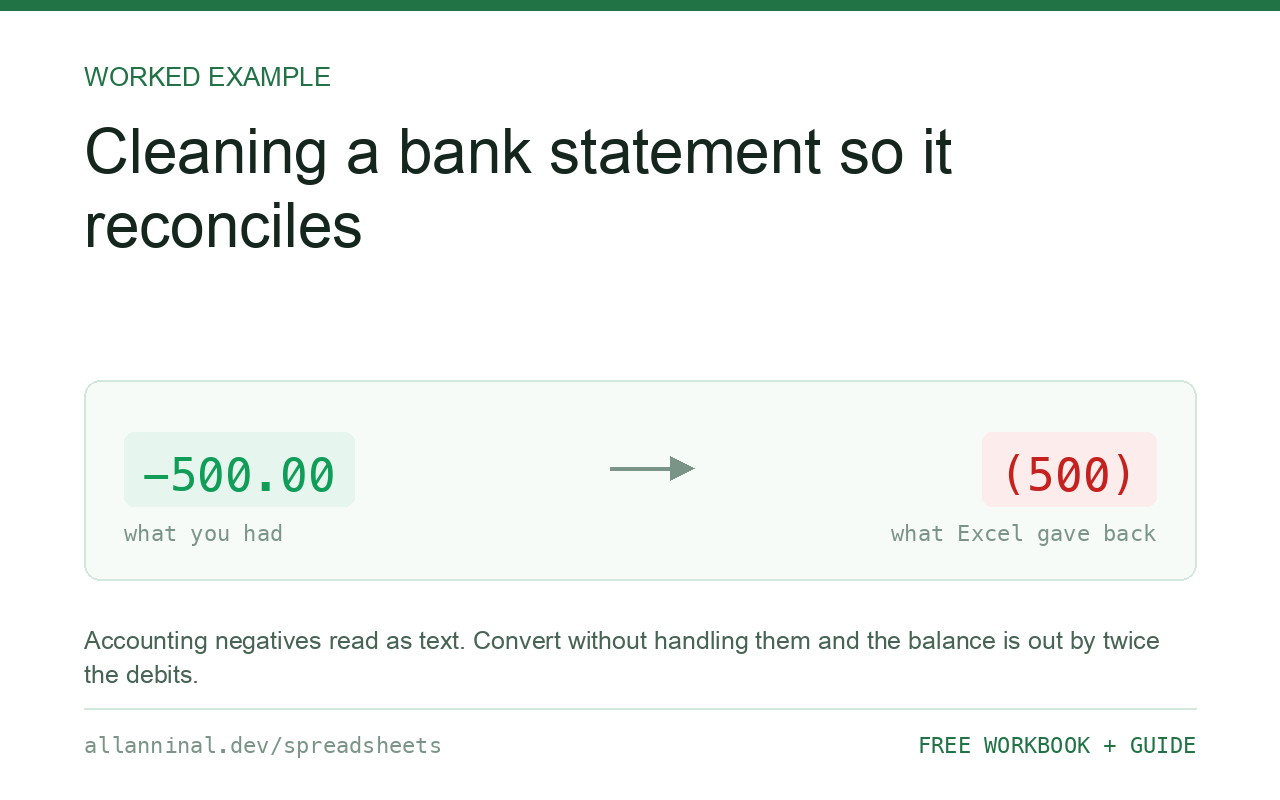
Accounting negatives. Banks and accounting systems write minus 500 as
(500). Excel reads that as text, not as a negative number. If you convert the column
without handling the brackets first, every debit either fails to convert or converts as a
positive — and the balance is wrong by exactly twice the debits, which is a very
confusing number to chase.
Dates in the wrong locale. A UK statement dated 03/04/2026 read on a
US-configured Excel becomes 4 March instead of 3 April. Transactions land in the wrong month, and
every date before the 13th is silently plausible. This is why dates come first: reconciling by month
against wrong dates wastes the whole exercise.
| What you see | What actually happened | What fixes it |
|---|---|---|
SUM of amounts returns 0 | The whole column is text | Strip symbols, then convert |
| Balance out by twice the debits | Bracketed negatives converted as positives | Handle the brackets before converting |
| Transactions in the wrong month | Date read in the wrong locale | Change Type → Using Locale on import |
| Duplicate-looking payees not grouping | Trailing spaces and inconsistent case | Clean the description column |
| Reference numbers lost leading zeros | Read as numbers on import | Import that column as Text |
How to clean a bank statement export
Import with Power Query and set the date locale
Data → From Text/CSV → Transform Data. Right-click the date column, Change Type → Using Locale, and choose the country the statement came from — not the country you are in. This is the only step that reliably fixes ambiguous dates, because it tells Excel how to read them rather than letting it guess.
While you are here, set any reference or account-number column to Text.
Measure how bad the amount column is
Before converting anything, find out how many rows are affected:
=COUNTA(D2:D2000)-COUNT(D2:D2000)Zero means the column is already numeric and your problem is elsewhere. Anything else is the count of transactions not being added.
Convert amounts, handling bracketed negatives
One formula that covers both the bracket form and the ordinary one:
=IFERROR(IF(LEFT(TRIM(A2),1)="(",
   -VALUE(SUBSTITUTE(SUBSTITUTE(SUBSTITUTE(SUBSTITUTE(A2,"(",""),")",""),",",""),"$","")),
   VALUE(SUBSTITUTE(SUBSTITUTE(A2,",",""),"$",""))),"CHECK")
Extend the nested SUBSTITUTE calls for your currency symbol. Anything
that still will not convert returns CHECK rather than an error, so you can filter on it
and look at those rows rather than having one bad cell break the column.
Clean the description column before grouping
Bank descriptions are padded to a fixed width and frequently carry trailing spaces. Grouping by payee without cleaning produces the same supplier three times:
=TRIM(CLEAN(SUBSTITUTE(B2,"[nbsp]"," ")))Then group on the cleaned column. See the invisible-characters guide for why
TRIM on its own is not enough.
Reconcile against the ledger, in both directions
Only now is it worth comparing. Match on the cleaned reference, and run the check both ways — a statement line with no ledger entry and a ledger entry with no statement line are different problems.
Everything on this page, as a workbook you can use on your own data
The Excel Data Cleanup Kit — a seven-tab workbook that finds all nine of these faults in a pasted column and hands back a cleaned version, a five-page PDF guide, and a short read-me. Free, no email required.
- Excel-Data-Cleanup-Workbook-Free.xlsx — paste a column, read the diagnosis, take the cleaned output
- Excel-Data-Survival-Guide.pdf — the eight failures, the import routine that prevents them, every formula explained
Plain .xlsx: no macros, no add-ins. Opens in Excel, Google Sheets,
Apple Numbers and LibreOffice Calc.
Why the balance is out by exactly twice the debits
It is worth recognising this one on sight. If bracketed negatives converted as positives, every
debit is contributing +x where it should contribute −x — an
error of 2x per debit. A balance out by an even, suspiciously round multiple of your
debit total means the brackets were not handled.
Matching on amount alone will mislead you
Two transactions for the same amount on the same day are common — a standing order and a
card payment can easily coincide. Match on the reference where one exists, or on date and
amount together using COUNTIFS, rather than concatenating them into a single key.
Keep the raw file
Save the untouched download beside the cleaned copy. When a figure is queried in three months, the raw file is the evidence, and it is the only thing that can prove whether a discrepancy came from the bank or from the cleaning.
Questions people ask
Why does SUM return zero on my bank statement amounts?
The amount column is text, because the bank attached a currency symbol, a thousands separator or brackets for negatives. SUM skips text without warning.
What does (500) mean in a bank export?
It is accounting notation for minus 500. Excel reads it as text, so it must be detected and negated explicitly before the column is converted.
Why is my balance out by exactly twice the debits?
Bracketed negatives were converted as positives, so each debit contributes plus x instead of minus x — an error of 2x per debit.
Why did my transactions land in the wrong month?
The dates were read in the wrong locale. 03/04/2026 is 3 April in the UK and 4 March in the US. Use Change Type > Using Locale on import and pick the statement's country.
Should I match transactions on the amount?
Not on amount alone — two transactions for the same amount on the same day are common. Match on the reference, or on date and amount together with COUNTIFS.
Should I keep the original download?
Yes. Save the untouched file beside the cleaned copy. It is the only evidence of what the bank actually sent if a figure is queried later.
Related guides
Take the workbook with you
The Excel Data Cleanup Kit — a seven-tab workbook that finds all nine of these faults in a pasted column and hands back a cleaned version, a five-page PDF guide, and a short read-me. Free, no email required.
- Excel-Data-Cleanup-Workbook-Free.xlsx — paste a column, read the diagnosis, take the cleaned output
- Excel-Data-Survival-Guide.pdf — the eight failures, the import routine that prevents them, every formula explained
Plain .xlsx: no macros, no add-ins. Opens in Excel, Google Sheets,
Apple Numbers and LibreOffice Calc.