Calculator Import costing
the price on the invoice is not what it costs you
By the time a container reaches your warehouse it has picked up freight, duty, tariffs, customs fees, insurance and an exchange rate that moved. Landed cost is what the thing actually cost. Price off the invoice figure instead and you can sell out an entire shipment at a loss.
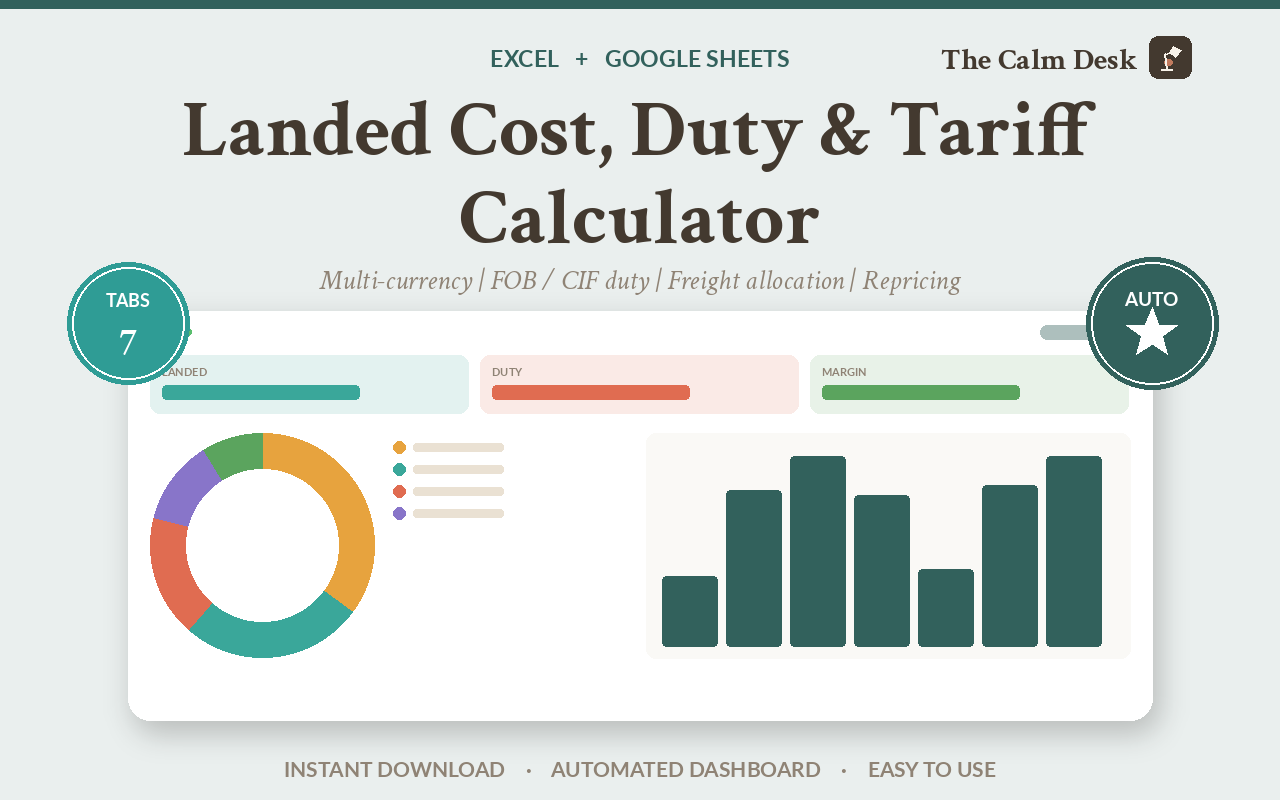
Landed cost is the unit price plus every cost of getting the goods to you: freight, insurance, duty, tariffs, customs fees and any currency spread. You add all of that up, spread the shipment-level costs across the individual products, and divide by units.
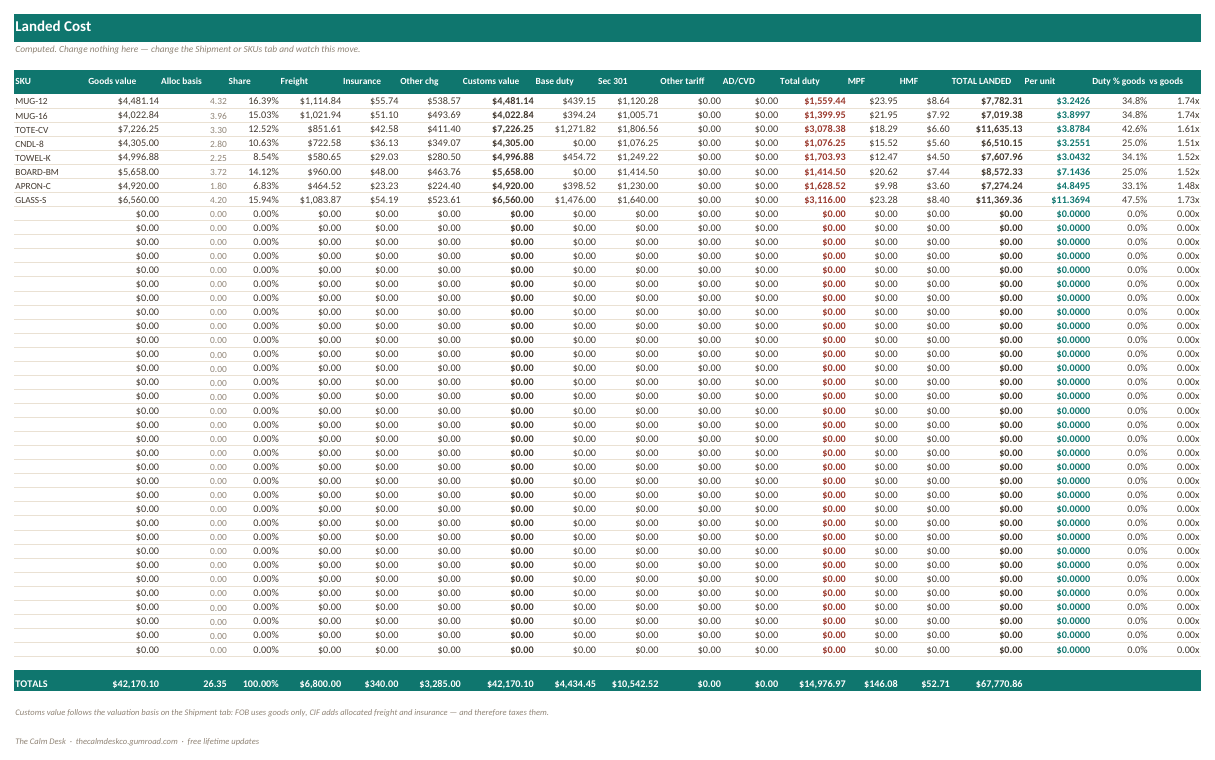
Two choices change the answer more than anything else. Whether duty is assessed on FOB or CIF value — that alone moves the duty by $2,513, or 17%, on the sample shipment. And what basis you use to spread the freight across your products, which moves individual SKU costs by 4% without changing the shipment total at all.
Where the extra cost comes from
You buy 5,000 units at $3 each. That is $15,000. Simple.
Except: the ocean freight is billed for the whole container, not per product. The duty depends on which country you are in and what the item is classified as. There might be an extra tariff on top of the normal one. Customs charges a processing fee with a minimum and a maximum. There is a harbour fee if it came by sea. You paid in dollars but your bank gave you a worse rate than the one you looked up.
None of that is on the supplier's invoice. All of it is your cost.
And here is the part that bites: those costs are for the whole shipment, but you need to know what each product cost, because you price products, not containers. So you have to split them — and how you split them decides which of your products look profitable.
Two settings, and what each one moves
The workbook was tested under four combinations of its two most consequential settings, because a model that is only right on its defaults is not right. Here is what each one actually moves.
| Duty basis | Freight allocated by | Total duty | Total landed | Landed per unit |
|---|---|---|---|---|
| FOB | Volume (CBM) | $14,977 | $67,771 | $4.4007 |
| CIF | Volume (CBM) | $17,490 | $70,318 | $4.5661 |
| FOB | Value | $14,977 | $67,771 | $4.4007 |
| FOB | Weight | $14,977 | $67,771 | $4.4007 |
| FOB vs CIF moves duty by | $2,513 (+17%) |
Read the pattern. The duty basis changes the total — $2,513 more duty on CIF, because CIF includes the freight and insurance in the value being taxed. The allocation basis does not change the total at all — the last three rows are identical to the cent.
But allocation changes which SKU carries what. SKU1's unit cost swings $0.176, about 4%, between allocating by value and allocating by weight. That is the correct signature for an allocation: it redistributes cost, it never creates or destroys it.
Which matters because ocean freight is bought by volume. Allocate it by value instead and every dense, cheap product on the container is quietly subsidised by your expensive ones.
Why the duty basis is a toggle and not a setting I picked
The United States assesses duty on FOB transaction value — international freight and insurance are not dutiable. Most other countries assess on CIF, where they are.
Hardcoding either one would be wrong for roughly half the people using the workbook, so it is a toggle, defaulting to FOB.
The other thing worth knowing: tariffs stack additively on customs value, never on each other. A 9.8% base rate plus a 25% additional tariff is 34.8% of customs value — not 37.3%, which is what you get if you compound them. Each programme gets its own column so you can see what is being applied.
How to calculate landed cost per unit
Enter the shipment and the exchange rate you actually got
The rate you looked up online is not the rate you got. The spread is real money and it belongs in the cost.
Choose the customs valuation basis
US: FOB. Most elsewhere: CIF. On the sample shipment this one toggle moves the duty by $2,513, so it is worth being sure which one applies to you.
Enter each duty and tariff programme separately
9.8% + 25% = 34.8% of customs value. Not 37.3%.
Duty rates here are inputs, never lookups. The Duty Reference tab feeds nothing into the calculation, deliberately: a stale rate applied automatically is worse than a blank cell, because it looks authoritative.
Allocate freight and shipment costs across SKUs
Match the basis to how the cost is actually incurred. Ocean freight is bought by volume, so allocating by volume is usually right. Allocating by value overcharges dense cheap SKUs and undercharges light expensive ones.
Customs processing fees are computed on total customs value and then allocated by share — the processing fee is clamped to its per-entry minimum and maximum, and zeroed on informal entries. The harbour fee applies to ocean shipments only.
Reprice from the landed cost
price = (landed cost + per-unit costs) / (1 - fee% - margin%)Margin divides, not multiplies — the same discipline as the bid calculators. Channel fees go inside the bracket, which is what makes the Repricing tab work equally for a marketplace, a storefront or wholesale.
What is inside the file
Seven tabs across a 40-SKU sample shipment, with every toggle already exercised so you can see what each one does before you enter your own.
| Tab | What it does |
|---|---|
| Start Here | What to fill in, in what order, and how to import the file into Google Sheets. |
| Shipment | The container: supplier invoice, currency and rate, freight, insurance, and the FOB/CIF toggle. |
| SKUs | Up to 40 products with unit cost, quantity, weight, volume and duty classification. |
| Landed Cost | The full build-up per SKU — duty, tariffs, fees and allocated freight — giving true per-unit cost. |
| Repricing | What you need to charge, given landed cost, channel fees and your target margin. |
| Scenario | Change the duty basis or the allocation method and see every SKU move at once. |
| Duty Reference | Illustrative rates and classifications, feeding nothing — a reference you read, not a lookup the model trusts. |
Opening it in Excel, Google Sheets or Numbers
It is one .xlsx file. There are no macros, no add-ins and nothing to install, which is what makes it portable — a macro-driven template would be Excel-only.
| App | How to open it |
|---|---|
| Microsoft Excel | Double-click the file. Excel 2016 and later, and Microsoft 365, on Windows or Mac. Nothing to enable and nothing to install. |
| Google Sheets | Go to Google Drive, click New → File upload and pick the .xlsx. Then double-click it in Drive and choose Open with → Google Sheets. To keep a native copy, use File → Save as Google Sheets. Formatting and formulas both carry over. |
| Apple Numbers (Mac, iPad, iPhone) | Numbers opens .xlsx directly — double-click it, or in Numbers use File → Open and select the file. Numbers converts it on open and will list anything it changed. To send a copy back to someone on Excel, use File → Export To → Excel. |
| LibreOffice Calc | Free, and opens the file as-is on Windows, Mac and Linux. This is what I use to recalculate every workbook when I check the maths, so it is the app these files are tested hardest in. |
Every formula in this workbook uses ordinary functions — SUM, IF, INDEX, MATCH and their relatives. Nothing here is Excel-only.
Get the workbook
$79 one-off · no subscription
- One .xlsx file, seven tabs, works in Excel, Google Sheets, Numbers and LibreOffice
- A 40-SKU sample shipment already costed
- FOB and CIF customs valuation as a toggle, not a hardcoded assumption
- Stacked tariff programmes, each in its own column
- Four freight allocation bases — value, weight, volume, units
- Break-even repricing with channel fees handled correctly
- Free lifetime updates
Instant download from Gumroad. Duty rates, HTS codes and fee thresholds are illustrative starting values, not current law.
The arithmetic, written out
customs value  = FOB value              # or FOB + freight + insurance, if CIF
duty           = customs value x (base rate + tariff 1 + tariff 2 + ...)
processing fee = MIN(MAX(customs value x rate, minimum), maximum)
harbour fee    = customs value x rate    # ocean shipments only
allocated cost = shipment cost x (SKU basis / total basis)
landed / unit  = (unit cost + duty + fees + allocated freight) / units
price          = (landed + per-unit costs) / (1 - fee% - margin%)
Note the tariff line adds the rates together before multiplying. That is what “additively” means, and it is the difference between 34.8% and 37.3%.
The HTS codes, duty rates, exchange rates and fee thresholds shipped with this workbook are illustrative starting values, not current law. Tariff programmes changed repeatedly through 2025 and 2026. They are flagged as illustrative on Start Here and in red on the Duty Reference tab. This is a costing tool, not customs advice, and classification is out of scope — get your rates from your broker or the current tariff schedule and type them in.
How I know the numbers are right
The whole shipment is reimplemented in Python from the definitions, the workbook is recalculated in LibreOffice, and the two are diffed — under four configurations rather than one. 17 checks × 4 configurations = 68, plus 2 behavioural assertions. Last run: 0 mismatches, 0 formula errors.
The two behavioural assertions exist because a toggle that does nothing passes every value check:
- FOB versus CIF must actually move the duty. It does — by $2,513, or 17%, on the sample shipment.
- The allocation basis must move per-SKU cost while leaving the shipment total untouched. It does — SKU1's unit cost swings $0.176 between value and weight allocation, and the shipment total is identical to the cent. That combination is the signature of a correct allocation.
Compared with the alternatives
| Cost | FOB/CIF toggle | Stacked tariffs | Freight allocation | |
|---|---|---|---|---|
| This workbook | $79 | Yes | Separate columns | Four bases |
| A free landed cost sheet | $0 | Hardcoded | One rate | By value only |
| Your freight forwarder's quote | $0 | N/A | N/A | Not per SKU |
| Supply chain software | $200–$1,000 / month | Yes | Yes | Yes |
Questions people ask before buying
What is landed cost?
The total cost of getting a product to your warehouse — unit price plus freight, insurance, duty, tariffs, customs fees and currency spread — divided by units. It is what the product actually cost you, as opposed to what the supplier invoiced.
What is the difference between FOB and CIF for duty?
FOB assesses duty on the goods value alone. CIF assesses it on goods plus international freight and insurance, so the taxable value is larger. The United States uses FOB; most other countries use CIF. On the sample shipment the difference is $2,513 of duty, or 17 percent.
Do tariffs compound on top of each other?
No. They stack additively on the customs value. A 9.8 percent base rate plus a 25 percent additional tariff is 34.8 percent of customs value, not 37.3 percent.
How should I allocate freight across products?
Match the basis to how the cost is incurred. Ocean freight is bought by volume, so allocating by volume is usually right. Allocating by value silently overcharges dense cheap products.
Are the duty rates in the file current?
No, and they are labelled as illustrative on Start Here and in red on the Duty Reference tab. Tariff programmes changed repeatedly through 2025 and 2026. Get your rates from your broker or the current schedule and enter them — the workbook treats rates as inputs, never lookups.
Does it handle multiple currencies?
Yes, including the spread your bank actually charged rather than the mid-market rate.
Will it work in Google Sheets?
Yes. Upload the .xlsx to Google Drive and open it with Google Sheets. No macros, no add-ins.
Can I use it on a Mac without Excel?
Yes. Apple Numbers opens the file directly, and LibreOffice Calc is free.
Related spreadsheets
Ready to stop doing this by hand?
$79 one-off · no subscription
- One .xlsx file, seven tabs, works in Excel, Google Sheets, Numbers and LibreOffice
- A 40-SKU sample shipment already costed
- FOB and CIF customs valuation as a toggle, not a hardcoded assumption
- Stacked tariff programmes, each in its own column
- Four freight allocation bases — value, weight, volume, units
- Break-even repricing with channel fees handled correctly
- Free lifetime updates
Instant download from Gumroad. Duty rates, HTS codes and fee thresholds are illustrative starting values, not current law.