Workbook Construction billing
the billing line that quietly under-invoices you every month
There is one line on a progress payment application that almost everyone fills in with the wrong number. It deducts your retainage twice. Each month looks internally consistent, so nothing ever flags it — you just get less money than you are owed, forever.
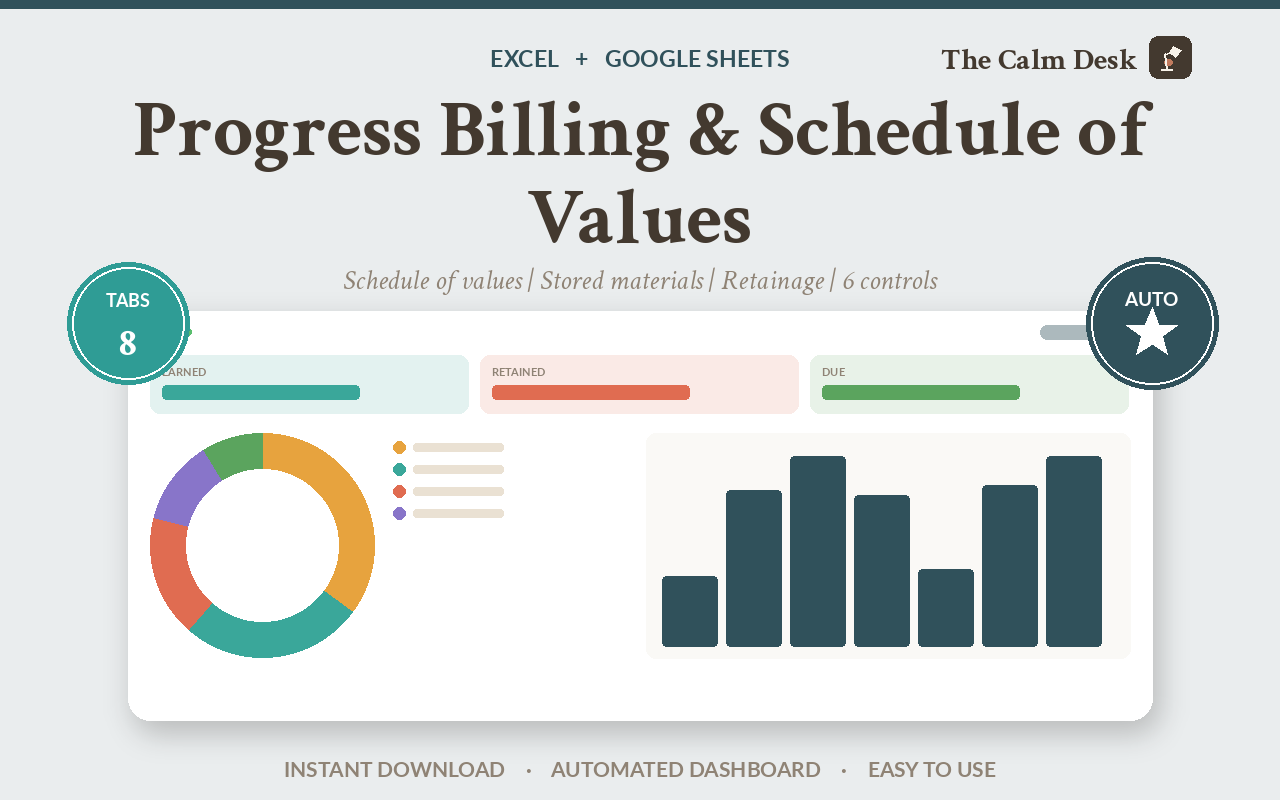
A progress billing application asks how much of each contract line you have completed, adds any materials stored on site, subtracts retainage, and then subtracts what you have already been paid for.
That last subtraction is where it goes wrong. The “less previous certificates” line must be the prior period's total earned less prior retainage — not the cheque you received, and not the prior net line. Using the cheque deducts retainage a second time and under-bills you every single month.
Why the same money gets deducted twice
Progress billing works like this. You have done 60% of a $100,000 contract line, so you have earned $60,000. The customer holds back a percentage — call it 10% — as retainage, money kept until the job is finished and signed off. So this month you can invoice $54,000.
Next month you are at 75%. You have now earned $75,000, retainage is $7,500, so your total invoiceable to date is $67,500. You have already been billed for some of that, so you subtract what came before and bill the difference.
Subtract what, exactly? If you subtract the $54,000 cheque, you get $13,500. If you subtract the prior earned-less-retainage figure — which is also $54,000 — you get the same answer. On a simple line they agree, which is exactly why the error survives.
They stop agreeing the moment retainage changes, or stored materials are involved, or a change order lands mid-job. And when they diverge, the cheque figure is the one that is wrong, because it has already had retainage taken out of it once.
What it costs on one application
The sample project in the workbook is a $2,931,300 contract. Here is the retainage line calculated the correct way against the naive way, on a single month's application.
| Retainage on this application | Effect on what you get paid | |
|---|---|---|
| Net of prior retainage — correct | $1,046,403 | You invoice everything you have earned this period. |
| Gross, ignoring prior retainage | $1,162,670 | Retainage deducted a second time on money already held back. |
| Under-billed by | $116,267 | On one application |
$116,267 that you have earned, that the customer is not disputing, and that you simply did not ask for. And because each month's application is internally consistent, no review catches it — you would have to compare against a correctly built one to see it.
The three rules the workbook enforces
Beyond that one line, two more rules decide whether an application survives review.
Stored materials are not completed work. They usually carry their own retainage rate, and when the material is installed it moves out of stored and into completed — never counted in both at once, which is an easy way to bill the same thing twice.
Only approved change orders move the contract sum. Pending ones do not, however confident you are. And every approved change order needs its own line on the schedule of values, or there is nothing to bill against.
How to build a payment application that gets approved
Break the contract into a schedule of values
Every line of work, with the value assigned to it. The workbook checks that the total matches the contract sum to date — on the sample project both sides are $2,931,300 — and tells you if they diverge.
Record progress on each line
Previous periods plus this period gives total completed. The workbook will not let a line be billed beyond its scheduled value, which is one of the six controls.
Add stored materials separately
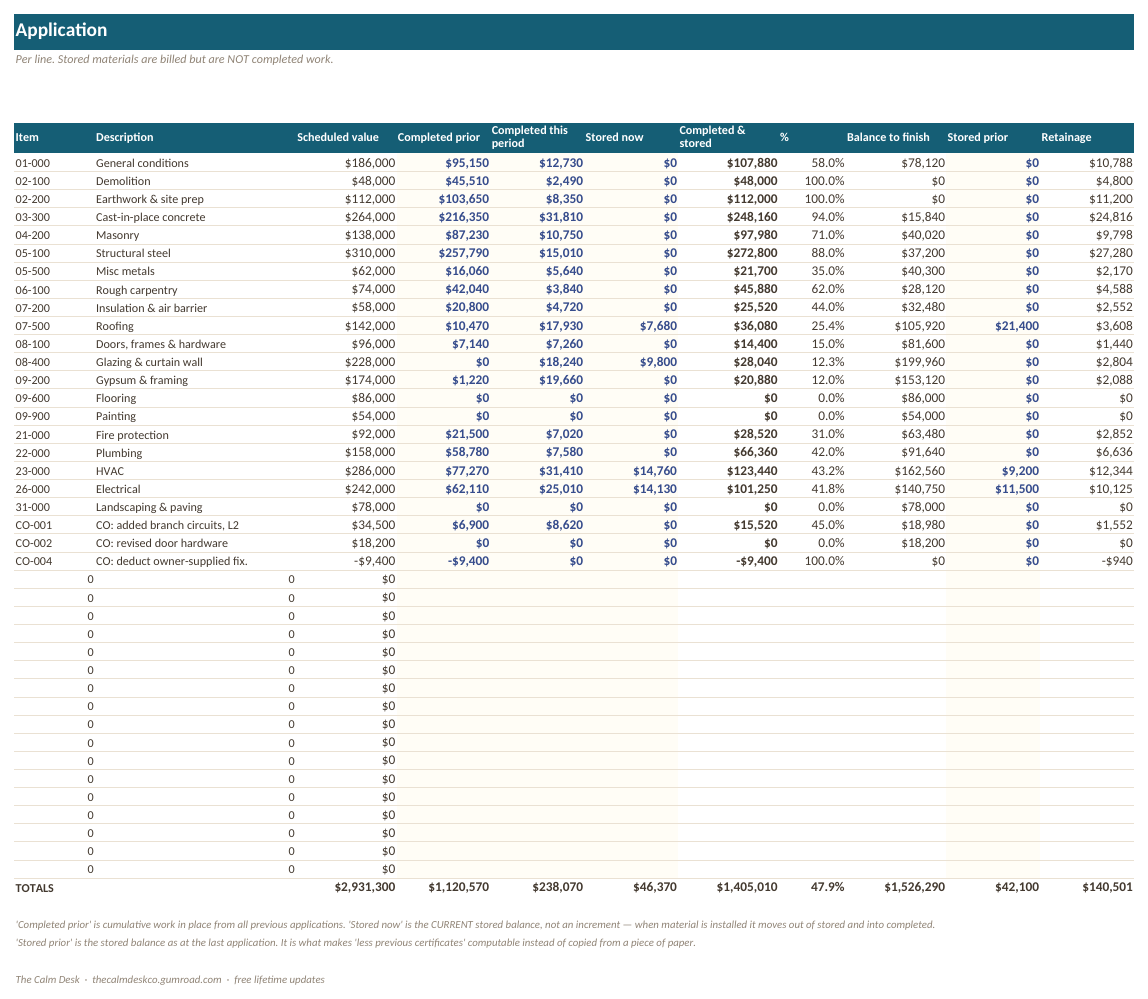
The sample application carries $46,370 of stored materials at its own rate. They are on the application, they are separated from completed work, and when they get installed they move across rather than being counted twice.
Take retainage net of what is already held
This is the rule the product exists for. The workbook derives the previous figure from prior completed plus prior stored, so it cannot be typed in wrong. You are not trusted with it, and neither am I.
Run the checks before you send it
Six controls run automatically and produce one verdict. On the sample data it
reads READY TO SUBMIT. If it does not, it names which control failed rather than
leaving you to find it.
What is inside the file
Eight tabs, built around a $2.9M sample project with three approved change orders and stored materials on site, so every rule is visibly exercised.
| Tab | What it does |
|---|---|
| Start Here | What to fill in, in what order, and how to import the file into Google Sheets. |
| Schedule of Values | Every scheduled item with its value. Checked against the contract sum. |
| Application | The payment application itself — completed, stored, retainage and the amount due. |
| Summary | The top-line figures for the period, in the order a reviewer reads them. |
| Change Orders | Approved and pending, kept apart. Only approved ones move the contract sum. |
| Retainage | What is held, on what, and at what rate — including a separate rate for stored materials. |
| Checks | Six controls that run before you submit, and one overall verdict. |
| How It Works | Every formula and every rule, written out. |
Opening it in Excel, Google Sheets or Numbers
It is one .xlsx file. There are no macros, no add-ins and nothing to install, which is what makes it portable — a macro-driven template would be Excel-only.
| App | How to open it |
|---|---|
| Microsoft Excel | Double-click the file. Excel 2016 and later, and Microsoft 365, on Windows or Mac. Nothing to enable and nothing to install. |
| Google Sheets | Go to Google Drive, click New → File upload and pick the .xlsx. Then double-click it in Drive and choose Open with → Google Sheets. To keep a native copy, use File → Save as Google Sheets. Formatting and formulas both carry over. |
| Apple Numbers (Mac, iPad, iPhone) | Numbers opens .xlsx directly — double-click it, or in Numbers use File → Open and select the file. Numbers converts it on open and will list anything it changed. To send a copy back to someone on Excel, use File → Export To → Excel. |
| LibreOffice Calc | Free, and opens the file as-is on Windows, Mac and Linux. This is what I use to recalculate every workbook when I check the maths, so it is the app these files are tested hardest in. |
Every formula in this workbook uses ordinary functions — SUM, IF, INDEX, MATCH and their relatives. Nothing here is Excel-only.
Get the workbook
$89 one-off · no subscription
- One .xlsx file, eight tabs, works in Excel, Google Sheets, Numbers and LibreOffice
- A $2.9M sample project with change orders and stored materials already filled in
- Retainage taken net of prior retainage, derived so it cannot be mistyped
- Six pre-submission controls with a single clear verdict
- Free lifetime updates
Instant download from Gumroad. Computes the figures a payment application needs. It is not a copy of any standard form.
The arithmetic, written out
The application is a chain of subtractions, and each line depends on the one before it.
total completed and stored  = previous periods + this period + stored materials
retainage held to date      = (completed x rate) + (stored x stored rate)
total earned less retainage = total completed and stored - retainage held
less previous certificates  = PRIOR (total completed and stored - retainage held)
current payment due         = total earned less retainage - less previous certificates
balance to finish           = contract sum - total completed and stored
Line 4 is the one that matters. It is the prior period's line 3, recomputed from prior completed and prior stored — not the cheque, and not a number anyone types.
This workbook does not reproduce AIA Document G702 or G703, in whole or in part — no layout, no wording, no facsimile. Those forms are copyrighted by the American Institute of Architects and licensed separately. What this computes is the figures a payment application requires, which you then transcribe onto whatever form your contract calls for. Arithmetic is not copyrightable; forms are.
How I know the numbers are right
Seventeen value checks plus the identities a payment application has to satisfy. Last run: 0 mismatches, 0 property failures, 0 formula errors. Among them: the schedule of values totals to the contract sum ($2,931,300 on both sides), line 6 equals line 4 minus 5, line 8 equals 6 minus 7, line 9 equals 3 minus 6, pending change orders are excluded from the contract sum ($27,800 correctly left out), and every approved change order has its own schedule line.
One bug worth describing, because it is a trap in any spreadsheet. The over-billing control was
written as SUMPRODUCT(--(G > C + 0.01)) and reported 17 violations on clean
data — which turned out to be the 17 empty rows. A blank cell holding "" is
text, and in a spreadsheet text compares greater than any number, so "" >
0.01 is TRUE. It is guarded with ISNUMBER now. If a check formula in any
spreadsheet ever reports an implausible count, look for this.
Compared with the alternatives
| Cost | Retainage rule | Stored materials | Pre-submission checks | |
|---|---|---|---|---|
| This workbook | $89 | Net of prior | Separated | Six |
| A free billing template | $0 | Usually gross | Mixed in | None |
| Construction billing software | $100–$400 / month | Correct | Yes | Yes |
| Rebuilding it each month | $0 | Whatever you remember | Varies | None |
Questions people ask before buying
What is retainage?
Money the customer holds back from each payment — often 5 or 10 percent — until the job is finished and signed off. You have earned it, but you do not get it yet.
What is the 'less previous certificates' line supposed to be?
The prior period's total earned less prior retainage. Not the cheque you were paid, and not the prior net amount due. Using the cheque deducts retainage twice and under-bills you every month.
Does this include the AIA G702 and G703 forms?
No. Those forms are copyrighted by the American Institute of Architects and licensed separately. This workbook computes the figures a payment application needs, which you transcribe onto whatever form your contract requires.
How are stored materials handled?
On their own line, with their own retainage rate, and they move into completed work when they are installed rather than being counted in both places.
What about change orders?
Approved ones move the contract sum and each gets its own schedule of values line. Pending ones are logged but excluded — on the sample project that is $27,800 correctly kept out.
Will it work in Google Sheets?
Yes. Upload the .xlsx to Google Drive and open it with Google Sheets. No macros, no add-ins.
Can I use it on a Mac without Excel?
Yes. Apple Numbers opens the file directly, and LibreOffice Calc is free.
What are the six checks?
Schedule of values totals to the contract sum, no line billed past its scheduled value, every approved change order has a line, the arithmetic identities between lines hold, stored materials are present and separated, and pending change orders are excluded. They produce one verdict.
Related spreadsheets
Ready to stop doing this by hand?
$89 one-off · no subscription
- One .xlsx file, eight tabs, works in Excel, Google Sheets, Numbers and LibreOffice
- A $2.9M sample project with change orders and stored materials already filled in
- Retainage taken net of prior retainage, derived so it cannot be mistyped
- Six pre-submission controls with a single clear verdict
- Free lifetime updates
Instant download from Gumroad. Computes the figures a payment application needs. It is not a copy of any standard form.