Guide Worked examples
Cleaning a product export without corrupting the SKUs
A product catalogue is almost entirely identifiers, and identifiers are exactly what Excel is worst at. A single import can damage the SKU column, the barcode column and any code that happens to look like a date.
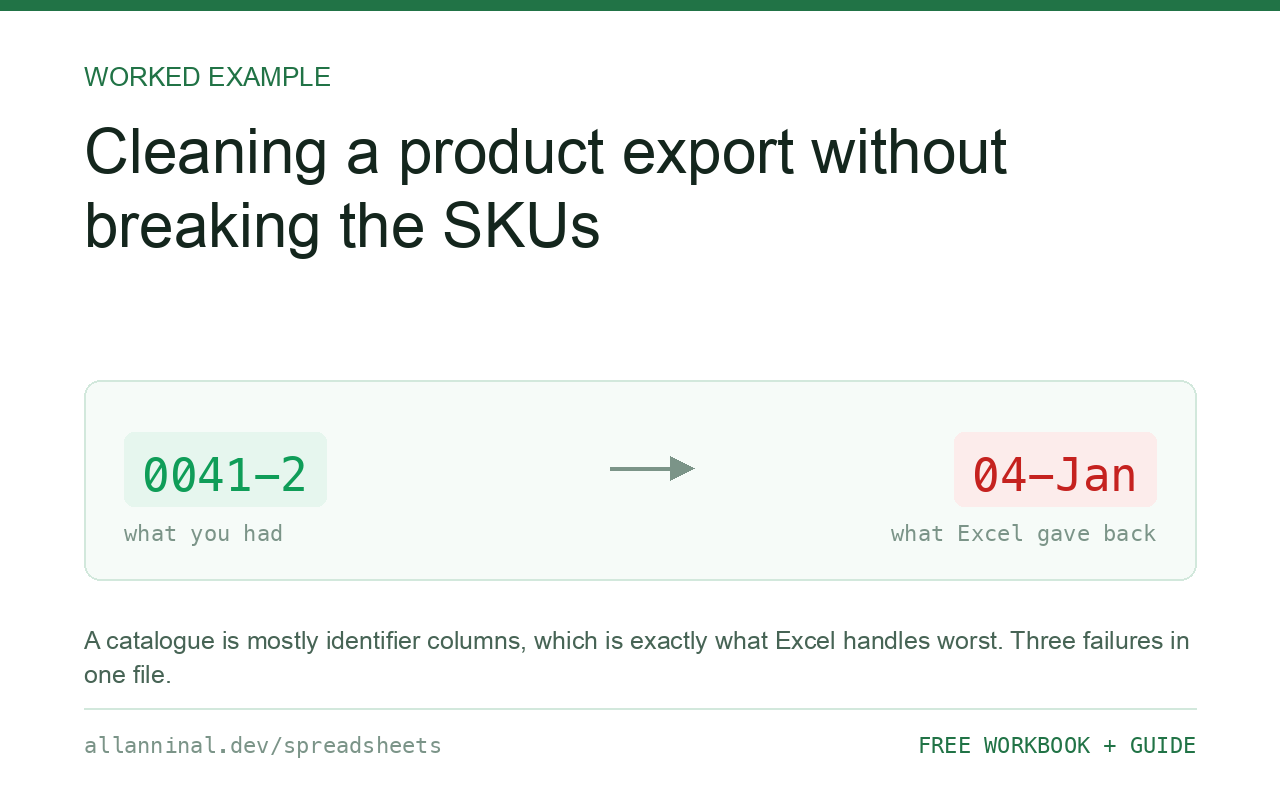
Set every identifier column to Text on import — SKU, barcode,
supplier code, bin location — and never let Excel parse them as numbers. A product
export typically hits three failures at once: SKUs lose leading zeros, 13-digit barcodes become
scientific notation or lose digits past the fifteenth, and codes shaped like SEP1 or
1-2 convert to dates. All three are prevented by the same import step and none can be
repaired afterwards.
Why a catalogue is the worst case
Most files have one or two columns Excel can damage. A product catalogue is mostly such columns, and the damage is silent in a particularly bad way: the file still looks like a product list.
- SKUs are frequently zero-padded, so they lose leading zeros.
- Barcodes are 12–13 digits, so they display as scientific notation, and anything longer loses digits past the fifteenth permanently.
- Size and variant codes such as
1-2,3/4orSEP1convert to dates. - Bin locations such as
A1-04can also read as dates in some locales.
Then the file goes back into the system, or to a supplier, or onto a marketplace listing — and the wrong barcode is now attached to a real product.
| What you see | What actually happened | What fixes it |
|---|---|---|
| SKUs shorter than they should be | Leading zeros stripped on import | Re-import the column as Text |
Barcode shows 1.23E+12 | Displayed as scientific notation | Re-import as Text |
| Barcode ends in an unexpected 0 | Past 15 significant digits — truncated | Re-import; not recoverable in place |
Size 1-2 shows as a date | Converted on entry | Import as Text; not reversible |
| Product counts do not match the system | Duplicate SKUs differing by whitespace | Clean before deduplicating |
How to clean a product export safely
Import with every identifier column set to Text
Data → From Text/CSV → Transform Data. Select each identifier column in turn — SKU, barcode, supplier reference, bin location, variant code — and set Data Type → Text. Leave only genuine quantities and prices as numbers.
The test for each column: would you ever add two of these together? If not, it is text.
Verify the barcode lengths
A quick check across the whole column:
=IF(LEN(TRIM(A2))=13,"ok","CHECK")Adjust 13 for your barcode standard — UPC-A is 12, EAN-13 is 13. Filter on
CHECK and compare those rows against the source file before doing anything else.
Validate the barcode check digit
This is the strongest check available, and almost nobody uses it. The last digit of an EAN-13 is derived from the first twelve, so a truncated or altered barcode will fail it:
=IF(MOD(10-MOD(SUMPRODUCT(--MID(A2,ROW(INDIRECT("1:12")),1),
   {1;3;1;3;1;3;1;3;1;3;1;3}),10),10)=--RIGHT(A2,1),"valid","INVALID")
Weights alternate 1 and 3 across the first twelve digits; the check digit is what
brings the total to a multiple of ten. INVALID means the barcode has been altered
— almost always by Excel — and must come from the source file again.
Clean the description and supplier columns
Supplier names and category labels arrive with trailing spaces and inconsistent capitalisation, which splits one supplier into three when you group. Clean them before any summary:
=TRIM(CLEAN(SUBSTITUTE(B2,"[nbsp]"," ")))Then group on the cleaned column, not the original.
Check for duplicate SKUs before re-importing
Before the file goes back into any system:
=IF(COUNTIF($A$2:$A$5000,A2)>1,"DUPLICATE","")Run this on the cleaned column. Run it on the raw column and two SKUs differing by a trailing space will not be reported as duplicates, which is how a duplicate reaches the system in the first place.
Everything on this page, as a workbook you can use on your own data
The Excel Data Cleanup Kit — a seven-tab workbook that finds all nine of these faults in a pasted column and hands back a cleaned version, a five-page PDF guide, and a short read-me. Free, no email required.
- Excel-Data-Cleanup-Workbook-Free.xlsx — paste a column, read the diagnosis, take the cleaned output
- Excel-Data-Survival-Guide.pdf — the eight failures, the import routine that prevents them, every formula explained
Plain .xlsx: no macros, no add-ins. Opens in Excel, Google Sheets,
Apple Numbers and LibreOffice Calc.
Never send an Excel-touched catalogue back without checking
The failure mode that costs real money is a round trip: export from the system, open in Excel to edit prices, save, re-import. The prices are correct and a subset of the barcodes are now wrong. The system accepts them, because they are still thirteen digits and still numeric.
If you must round-trip a catalogue, validate the check digits before re-importing. It takes one column and catches exactly this.
Prefer .xlsx over CSV for catalogue work
An .xlsx stores the type of every cell, so a SKU saved as text stays text when it is
reopened. A CSV stores only characters, so every open is a fresh opportunity for Excel to guess
wrongly. Where a system offers both, take the .xlsx.
Quantities and prices are genuinely numbers
Do not over-apply the rule. Stock on hand, cost, retail price and weight are quantities you will calculate with, and they should be numeric. It is only the identifiers that need protecting.
Questions people ask
Why do my SKUs come back shorter than they should be?
Excel read the column as numbers and discarded the leading zeros. Re-import the file with the SKU column set to Text; formatting afterwards cannot restore them.
Why does my barcode show as 1.23E+12?
That is scientific notation, a display format only, and the value is intact. The serious problem is the separate 15-digit limit, which permanently truncates longer numbers.
How can I tell whether a barcode has been corrupted?
Validate the check digit. The last digit of an EAN-13 is computed from the first twelve, so an altered barcode fails the arithmetic even when it still looks like a valid number.
Why did my size code 1-2 turn into a date?
Excel converts anything shaped like a date on entry, and digits either side of a hyphen match that pattern. Import the column as Text; the conversion cannot be reversed.
Is it safe to edit a product export in Excel and re-import it?
Only if every identifier column was imported as Text and you validate before sending it back. Otherwise a routine price edit can attach wrong barcodes to real products.
Should I use CSV or xlsx for catalogue work?
xlsx, wherever the system offers it. It stores the type of every cell, so a SKU saved as text stays text. A CSV stores only characters, so every open is another chance to guess wrongly.
Related guides
Take the workbook with you
The Excel Data Cleanup Kit — a seven-tab workbook that finds all nine of these faults in a pasted column and hands back a cleaned version, a five-page PDF guide, and a short read-me. Free, no email required.
- Excel-Data-Cleanup-Workbook-Free.xlsx — paste a column, read the diagnosis, take the cleaned output
- Excel-Data-Survival-Guide.pdf — the eight failures, the import routine that prevents them, every formula explained
Plain .xlsx: no macros, no add-ins. Opens in Excel, Google Sheets,
Apple Numbers and LibreOffice Calc.