Calculator Concrete estimating
what should you actually charge for concrete work?
Two things sink a concrete bid, and neither is the price book. The first is costing an hour of labour at the wage instead of what the hour really costs you. The second is adding a percentage on top and calling it your margin. This workbook fixes both, then shows you the money the second mistake was taking.
Charge enough to cover the burdened cost of an hour — wage plus payroll taxes, workers' compensation, liability insurance and benefits, spread over only the hours you can actually bill — then recover your overhead per hour, then add margin by dividing, not multiplying.
At this workbook's shipped defaults a concrete hour costs $42.54 burdened, and you need to charge $81.11 an hour just to break even after overhead. Anything under that is losing money no matter how busy you are.
Two ways a bid goes wrong before you write the price
The first is the hour. Suppose you pay concrete crews $25 an hour. That hour does not cost you $25. It costs $25 plus payroll taxes, plus workers' compensation, plus general liability, plus any benefits. And you cannot bill every hour you pay for — driving, quoting, loading the van, waiting on an inspection. So the real cost of a billable hour is that whole burden divided by the share of hours you can actually invoice.
Concrete work carries a workers' compensation rate around $12.00 per $100 of payroll — roughly three times electrical. Not the worst in construction, but high enough that pricing off a generic template quietly costs you margin on every pour.
The second is the margin. You work out the job costs $10,000, you want 30%, so you multiply by 1.30 and quote $13,000. That is not a 30% margin. It is 23.1%. The margin you actually got is $3,000 out of $13,000, and $3,000 ÷ $13,000 = 23.1%.
To genuinely make 30% you have to divide by 0.70, which gives $14,286. The difference on that one job is $1,286, and it is invisible, and it happens on every bid you have ever written that way.
What markup-instead-of-margin costs on one job
Same job, same cost, same intention to make 30%. One arithmetic choice.
| Price quoted | Profit | Margin actually earned | ||
|---|---|---|---|---|
| Divide by (1 − margin) | $14,286 | $4,286 | 30.0% | What you meant to do |
| Multiply by (1 + margin) | $13,000 | $3,000 | 23.1% | What most people do |
| Left on the table | $1,286 | $1,286 | 6.9 pts | Every job, every year |
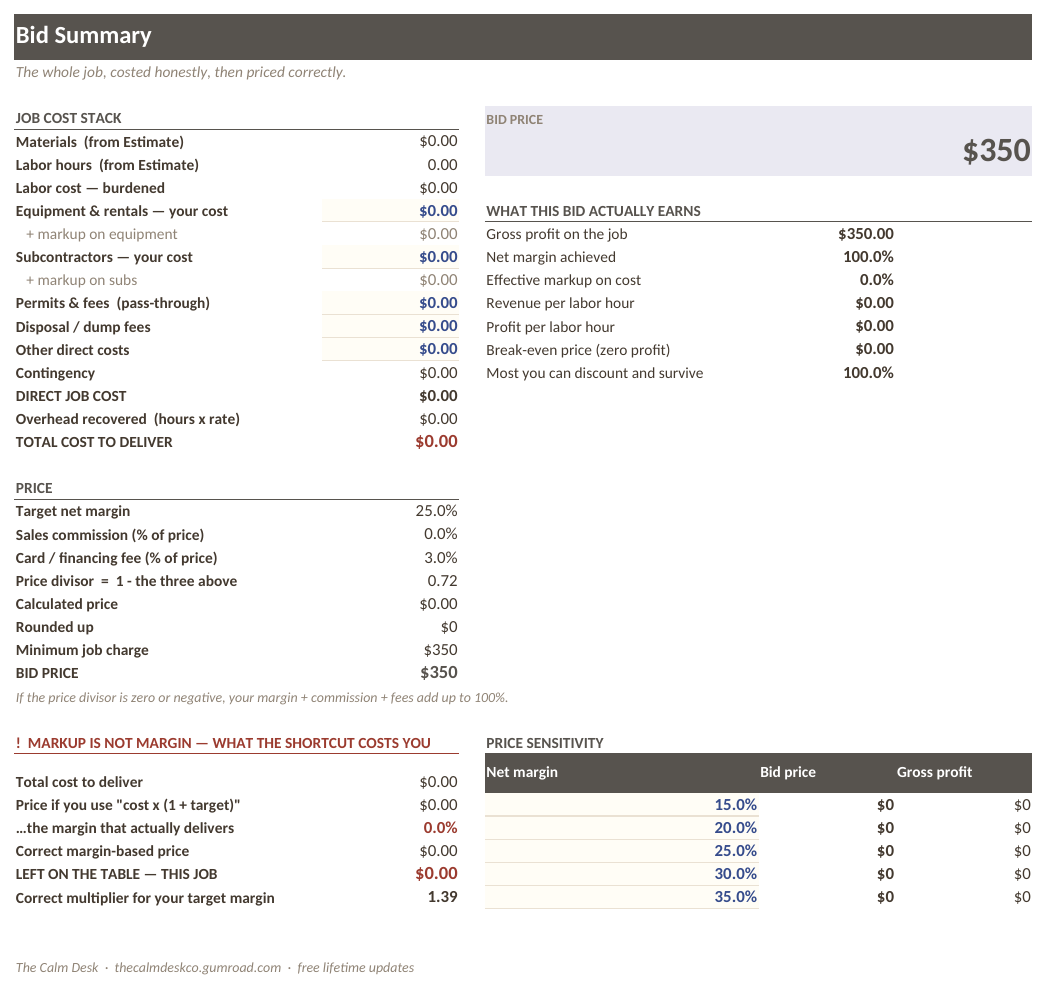
Twenty jobs of that size a year is $25,720. The Bid Summary tab prints that gap in dollars on every single bid, so you can see what the other way would have cost you before you send it.
Why concrete needs its own workbook
The arithmetic is the same in every trade. The inputs are not, and one of them varies by nearly a factor of ten.
Workers' compensation is priced per $100 of payroll by trade classification, and it ranges from about $3.50 for electrical to about $28.00 for roofing. Concrete waste defaults to 8%, which covers over-order and spillage on a typical pour. A single generic construction estimating template has to pick one set of assumptions, and it will be wrong for four trades out of five.
This edition ships with concrete's rate, concrete's waste factor and a 38-item concrete price book. Every one of those is an input you can change — but you start from the right place instead of the average of five trades.
How to price a concrete job properly
Work out what an hour really costs you
Wage plus every payroll cost, divided by the proportion of hours you can invoice. At the shipped defaults that comes out at $42.54 for a concrete hour.
The non-billable share is the part people leave out, and it is the part that decides the answer. If a quarter of your paid hours are not billable, your billable hours have to carry a third more cost each.
Recover your overhead per billable hour
Rent, vehicles, phones, software, the person answering the phone: none of it is on any single job, and all of it has to be paid by the jobs. Divide the annual total by your expected billable hours and add it on.
Burdened cost plus overhead gives your break-even rate: $81.11 an hour at the defaults. Below that you are working for nothing, however full the diary is.
Build the job from the price book
38 concrete line items ship with the workbook, each carrying material cost and labour hours. Pick what the job needs, set the quantities, and the totals build themselves. Waste is applied to material at 8%.
Treat the shipped figures as starting benchmarks, not quotes. They are national averages. Your supplier and your market are not the national average, and the point of the price book is that you overwrite it with your own numbers.
Price by dividing, never by multiplying
price = cost / (1 - margin - commission - fees)Commission and card fees belong inside that bracket, not bolted on afterwards. If a salesperson takes 5% and the card takes 3%, those come out of the top line, so they have to be divided out with the margin or they come out of your profit instead.
Cost the job when it is done
The Job Costing tab puts actual against estimate line by line. This is the tab that makes the price book yours: after five jobs you know which items you consistently underestimate, and you fix them at the source.
What is inside the file
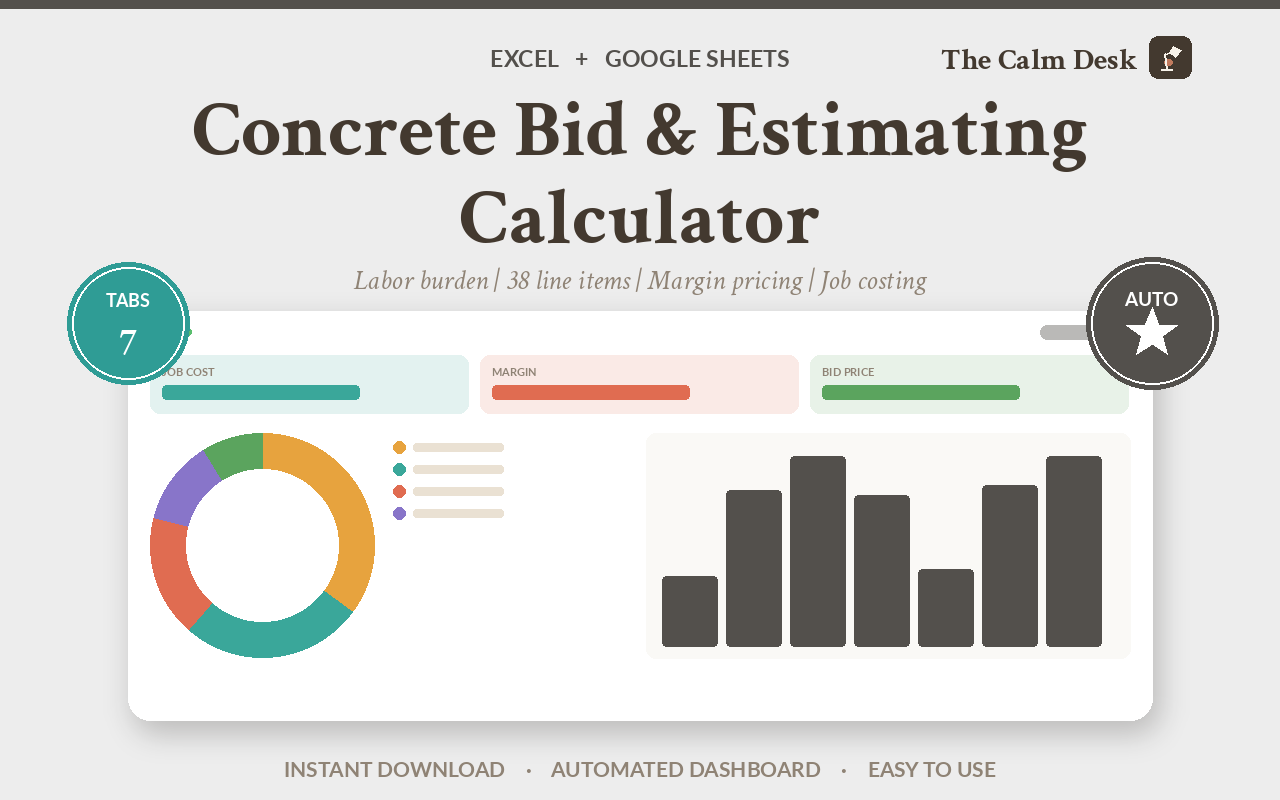
Seven tabs. You fill in the Rates tab once and it drives every bid after that. The price book ships with 38 concrete items so you are not starting from an empty grid.
| Tab | What it does |
|---|---|
| Start Here | What to fill in, in what order, and how to import the file into Google Sheets. |
| Rates | Your wages, payroll taxes, workers' comp, insurance and overhead. Fill this in once and every bid you ever write uses it. |
| Price Book | 38 concrete line items with material and labour, as national-average starting benchmarks you replace with your own. |
| Estimate | The job you are pricing. Pick line items, set quantities, and the labour hours and material add up. |
| Bid Summary | Cost, overhead, margin and the price. Shows in dollars what pricing by markup instead of margin would have cost you on this bid. |
| Proposal | A clean version to send the customer, without your cost build-up on it. |
| Job Costing | What you actually spent against what you bid, once the job is done. |
Opening it in Excel, Google Sheets or Numbers
It is one .xlsx file. There are no macros, no add-ins and nothing to install, which is what makes it portable — a macro-driven template would be Excel-only.
| App | How to open it |
|---|---|
| Microsoft Excel | Double-click the file. Excel 2016 and later, and Microsoft 365, on Windows or Mac. Nothing to enable and nothing to install. |
| Google Sheets | Go to Google Drive, click New → File upload and pick the .xlsx. Then double-click it in Drive and choose Open with → Google Sheets. To keep a native copy, use File → Save as Google Sheets. Formatting and formulas both carry over. |
| Apple Numbers (Mac, iPad, iPhone) | Numbers opens .xlsx directly — double-click it, or in Numbers use File → Open and select the file. Numbers converts it on open and will list anything it changed. To send a copy back to someone on Excel, use File → Export To → Excel. |
| LibreOffice Calc | Free, and opens the file as-is on Windows, Mac and Linux. This is what I use to recalculate every workbook when I check the maths, so it is the app these files are tested hardest in. |
Every formula in this workbook uses ordinary functions — SUM, IF, INDEX, MATCH and their relatives. Nothing here is Excel-only.
Get the workbook
$89 one-off · no subscription
- One .xlsx file, seven tabs, works in Excel, Google Sheets, Numbers and LibreOffice
- A 38-item concrete price book with material and labour
- Concrete's own workers' comp rate and waste factor, not a generic construction average
- A customer-facing proposal tab with your cost build-up hidden
- Job costing, so the price book improves with every job
- Free lifetime updates
Instant download from Gumroad. Price-book figures are national-average starting benchmarks, not quotes for your area.
The arithmetic, written out
Three formulas. The third is the one that pays for the workbook.
burdened hourly = (wage + taxes + workers comp + GL + benefits)
                  / (1 - non-billable share)

break-even rate = burdened hourly + (annual overhead / annual billable hours)

price           = cost / (1 - margin - commission - fees)
At the shipped concrete defaults: burdened $42.54, break-even $81.11.
Why the third one divides: margin is measured against the price, not the cost. If you want margin m, then cost has to be the remaining (1 − m) of the price, so price = cost ÷ (1 − m). Multiplying by (1 + m) measures the margin against cost instead, which is markup, and markup is always a smaller percentage than the margin it produces.
How I know the numbers are right
All five editions of this workbook are checked by the same script: 29 numeric checks per book plus a scan for formula errors. Last run: 29/29 passing, 0 formula errors in all five.
Two real failures it has caught, both of which would have shipped silently:
- Label cells beginning with
=. Excel and LibreOffice parse those as formulas and show#VALUE!where a heading should be. #REF!errors from price-book ranges that moved when the item count changed — the kind of break that only appears on one tab and only after you have already sent the bid.
Compared with the alternatives
| Cost | Burdened rate | Margin done right | Concrete rates | |
|---|---|---|---|---|
| This workbook | $89 | Yes | Yes, divides | Yes |
| A free estimating template | $0 | Rarely | Almost never | Generic |
| Estimating software | $100–$400 / month | Yes | Yes | Yes |
| Pricing off the last job | $0 | No | No | No |
Questions people ask before buying
What is a burdened labour rate?
The full cost of one hour of someone's time, not just their wage. It adds payroll taxes, workers' compensation, liability insurance and benefits, then divides by the share of paid hours you can actually bill. At this workbook's defaults a concrete hour costs $42.54 burdened.
Why is margin not the same as markup?
Markup is measured against your cost; margin is measured against your price. Adding 30% to a $10,000 cost gives $13,000, and $3,000 profit on $13,000 of revenue is a 23.1% margin, not 30%. To actually make 30% you divide by 0.70 and quote $14,286.
Are the price-book figures real concrete prices?
They are national-average starting benchmarks, so the workbook is usable the moment you open it. They are not quotes for your area and are not represented as such. Replace them with your own supplier pricing as you go.
Why is there a separate concrete edition?
Mostly workers' compensation, which is priced by trade classification and ranges from about $3.50 per $100 of payroll for electrical to about $28.00 for roofing. Waste factors and price books differ too. One generic template has to guess, and it guesses wrong for most trades.
Will it work in Google Sheets?
Yes. Upload the .xlsx to Google Drive and open it with Google Sheets. There are no macros and no add-ins, so nothing is lost.
Can I use it on a Mac without Excel?
Yes. Apple Numbers opens the file directly, and LibreOffice Calc is free and opens it too.
Can I send the estimate to a customer?
Yes, that is what the Proposal tab is for. It shows the customer what they are buying without exposing your rates, overhead or margin.
Does it handle commission and card fees?
Yes, and correctly — they go inside the divisor alongside margin, so they come out of the price rather than out of your profit.
Related spreadsheets
Ready to stop doing this by hand?
$89 one-off · no subscription
- One .xlsx file, seven tabs, works in Excel, Google Sheets, Numbers and LibreOffice
- A 38-item concrete price book with material and labour
- Concrete's own workers' comp rate and waste factor, not a generic construction average
- A customer-facing proposal tab with your cost build-up hidden
- Job costing, so the price book improves with every job
- Free lifetime updates
Instant download from Gumroad. Price-book figures are national-average starting benchmarks, not quotes for your area.