Guide Data integrity
Excel turned my accented characters into nonsense
Niñal arrives as Niñal, café as café, and every name with an accent in it is now wrong. The file is not corrupt — Excel guessed the wrong character encoding on the way in, and there is a single setting that fixes it.
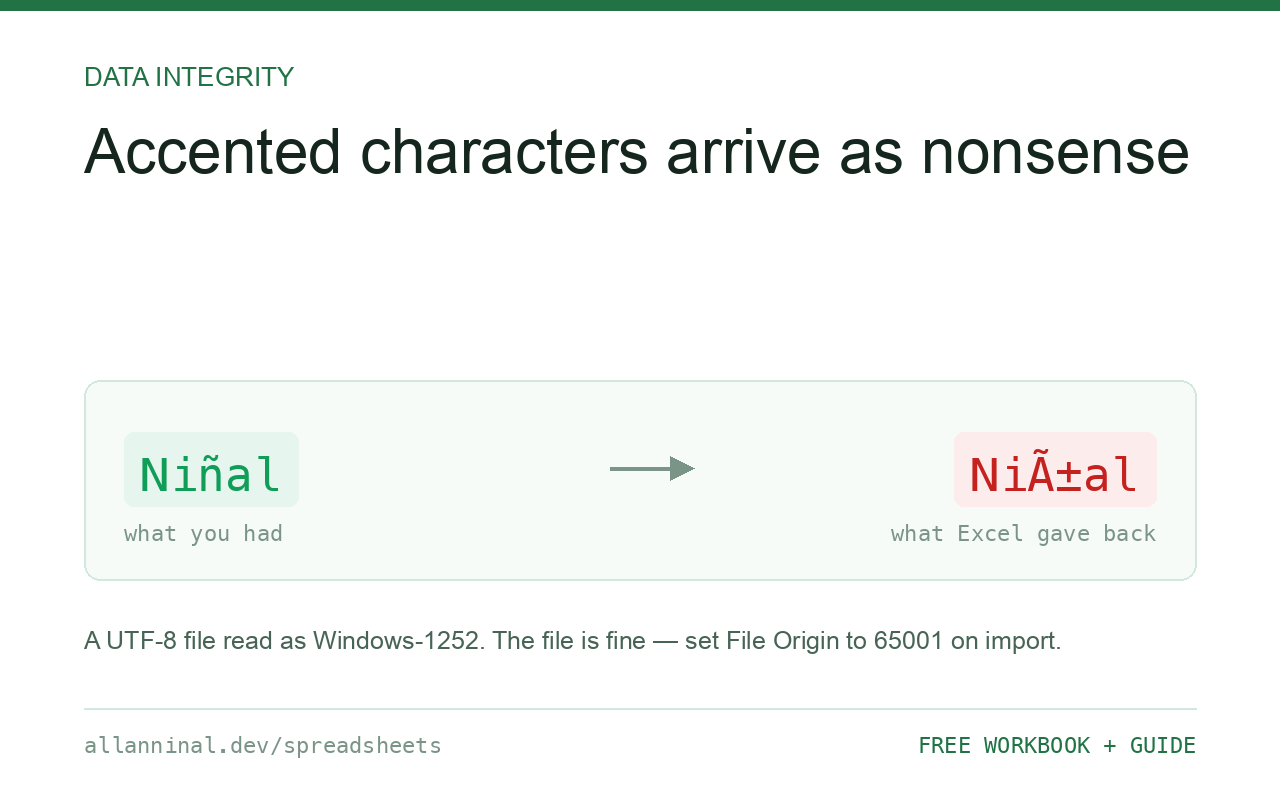
Your file is fine; Excel opened it with the wrong character
encoding. A UTF-8 file read as Windows-1252 turns every accented character into two or
three wrong ones — ñ becomes ñ. Import with
Data → From Text/CSV and set File Origin to 65001: Unicode (UTF-8).
When saving, choose CSV UTF-8 (Comma delimited), because plain CSV writes your
system codepage and re-breaks the file on the way out.
What mojibake actually is
Text is stored as bytes, and an encoding is the agreement about which bytes mean
which characters. UTF-8 writes ñ as two bytes. If a program reads those two
bytes as Windows-1252 — where every byte is its own character — it renders them as two
separate characters: Ã and ±.
Nothing is damaged at this point. The bytes on disk are still correct and still say
ñ. Only Excel's interpretation is wrong, which is why the fix is a setting
rather than a repair.
It becomes real damage the moment you save. Excel then writes out the wrong
characters it is showing you, and now the file on disk genuinely says
Niñal. Fix the import before saving anything.
| What you see | What actually happened | What fixes it |
|---|---|---|
Niñal for Niñal | UTF-8 file read as Windows-1252 | Re-import with File Origin 65001 |
café for café | Same cause — one character became two | Re-import with File Origin 65001 |
A � where a character should be | The byte had no valid mapping in the assumed encoding | Re-import; if it persists the source was already damaged |
| Accents were fine, then broke after you saved | Saved as plain CSV, which writes your system codepage | Save As → CSV UTF-8 (Comma delimited) |
at the very start of the first cell | A UTF-8 byte-order mark read as characters | Import with 65001, which consumes the BOM properly |
How to open and save UTF-8 CSV files in Excel
Import with Data → From Text/CSV
Double-clicking gives Excel no chance to ask. Open Excel first, then Data → From Text/CSV and choose the file. The preview dialog is where the encoding setting lives.
Set File Origin to 65001: Unicode (UTF-8)
Change File Origin to 65001: Unicode (UTF-8). The preview redraws straight away — if the accents look right there, they will be right in the sheet. This is the whole fix. 65001 is just the Windows codepage number for UTF-8.
Click Transform Data and set your ID columns to Text
You are already in the right dialog, so deal with the other problem at the same time: click Transform Data and set any code or ID column to Text. Encoding and leading zeros are two separate failures that arrive through the same door.
Save with Save As → CSV UTF-8 (Comma delimited)
Excel offers two CSV formats and the difference is not explained anywhere in the dialog. CSV (Comma delimited) writes your system codepage. CSV UTF-8 (Comma delimited) writes UTF-8 with a BOM. If anything downstream is a database, a website or another person's computer, you want the UTF-8 one.
Everything on this page, as a workbook you can use on your own data
The Excel Data Cleanup Kit — a seven-tab workbook that finds all nine of these faults in a pasted column and hands back a cleaned version, a five-page PDF guide, and a short read-me. Free, no email required.
- Excel-Data-Cleanup-Workbook-Free.xlsx — paste a column, read the diagnosis, take the cleaned output
- Excel-Data-Survival-Guide.pdf — the eight failures, the import routine that prevents them, every formula explained
Plain .xlsx: no macros, no add-ins. Opens in Excel, Google Sheets,
Apple Numbers and LibreOffice Calc.
Why the BOM matters more than it should
Excel will not reliably auto-detect UTF-8 from the content alone. It detects it from a byte-order mark — three bytes at the very start of the file that announce the encoding. A UTF-8 file written without a BOM, which is the normal and correct output of most programming languages and databases, gives Excel nothing to detect, so it falls back to your system codepage and the mojibake appears.
This is why a file that opens perfectly on a colleague's machine can be broken on yours: you have different system codepages, and neither of you has a BOM to settle it.
If you generate the CSV yourself
Writing the BOM makes the file open correctly in Excel by double-click, with no import dialog at
all. In Python that is the utf-8-sig codec; in most other languages it means writing
the three bytes EF BB BF before anything else. Everything that reads UTF-8 properly
tolerates a BOM, so this costs you nothing elsewhere.
Google Sheets is easier here
Sheets assumes UTF-8 and is usually right. If you have an Excel-broken file, uploading it to Google Drive and opening it with Sheets is a quick way to confirm the source file was fine all along — and to recover the correct text.
Questions people ask
Is my file corrupted?
Almost certainly not. The bytes on disk are still correct; Excel is interpreting them with the wrong encoding. It only becomes real corruption if you save the file while it is displaying wrongly.
What does 65001 mean?
It is the Windows codepage number for UTF-8. Choosing it in the File Origin dropdown tells Excel to read the bytes as UTF-8.
Why does the file open correctly for my colleague but not for me?
Different system codepages. Without a byte-order mark, Excel falls back to each machine's regional default, so the same file can render differently on two computers.
What is the difference between CSV and CSV UTF-8 when saving?
Plain CSV writes your system codepage and will corrupt non-ASCII characters. CSV UTF-8 writes UTF-8 with a byte-order mark, which is what any database, website or other person needs.
How do I stop this happening for files I generate?
Write the UTF-8 byte-order mark at the start of the file. Then Excel detects the encoding on its own and even a double-click opens the file correctly.
Can I fix a file that was already saved with the wrong characters?
Only by going back to the original. Once Excel has saved the mojibake, those wrong characters are genuinely what the file contains.
Related guides
Take the workbook with you
The Excel Data Cleanup Kit — a seven-tab workbook that finds all nine of these faults in a pasted column and hands back a cleaned version, a five-page PDF guide, and a short read-me. Free, no email required.
- Excel-Data-Cleanup-Workbook-Free.xlsx — paste a column, read the diagnosis, take the cleaned output
- Excel-Data-Survival-Guide.pdf — the eight failures, the import routine that prevents them, every formula explained
Plain .xlsx: no macros, no add-ins. Opens in Excel, Google Sheets,
Apple Numbers and LibreOffice Calc.