Guide Formulas
Excel says minus three squared is positive nine
Type =-3^2 and Excel returns 9. Every maths convention says it should be −9. Excel is not wrong by accident — it applies the minus sign first, deliberately, and it is one of the very few places where Excel differs from standard notation.
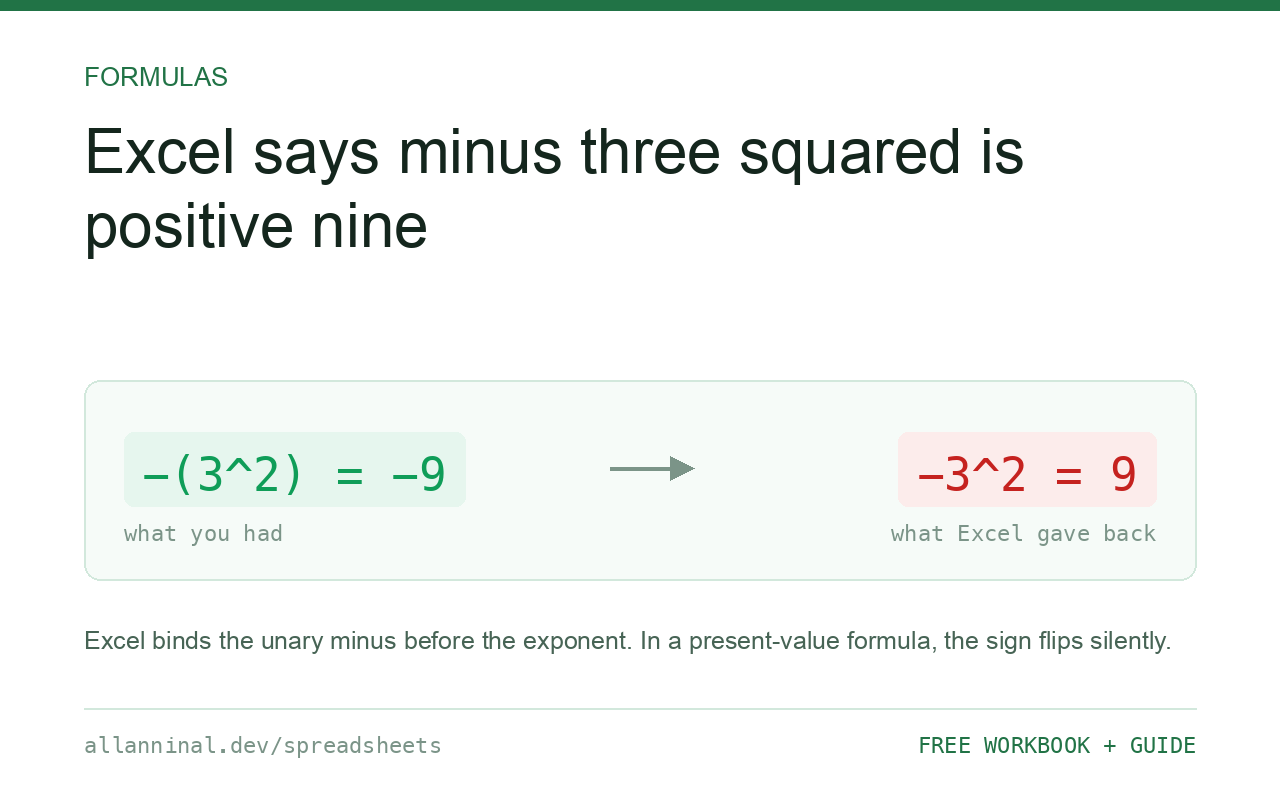
Excel binds the unary minus tighter than the exponent, so
-3^2 is evaluated as (-3)^2, which is 9. Standard mathematical
notation binds the exponent first, giving -(3^2) = −9. Both are internally
consistent; Excel simply chose the other convention. Write =-(3^2) when you want
−9, and always use brackets when a negative value meets an exponent.
Where this actually costs you
As a curiosity it is harmless. It becomes expensive when the negative is in a cell rather than typed literally, because then nothing on screen looks unusual.
A variance column holding −3, squared to remove the sign — a standard step in computing
a standard deviation or a sum of squares by hand — behaves as you expect, since
A2^2 where A2 is −3 correctly gives 9. The reference is evaluated
first and the minus is part of the value, not an operator.
The trap is a formula that writes the minus itself: =-A2^2. If A2 is 3,
this is (-3)^2 = 9, not -(3^2) = -9. In a discounting or a
present-value calculation, the sign of the result silently flips, and the number that appears is
entirely plausible.
| What you see | What actually happened | What fixes it |
|---|---|---|
=-3^2 returns 9 | Unary minus binds before the exponent | Write =-(3^2) |
=-A2^2 is positive | Same rule, hidden behind a reference | Bracket the exponent explicitly |
| Sign flipped against a textbook | The textbook uses standard precedence | Bracket every exponent on a negative |
=0-3^2 returns −9 | This is a binary minus, which binds after | Different operator, different rule |
| Result differs from the same formula in Python | Most languages follow standard precedence | Bracket, and the two agree |
How to write exponents safely in Excel
Bracket the exponent when you want the standard result
Explicit brackets remove all ambiguity:
=-3^2      returns  9
=-(3^2)    returns  -9
The second is what standard notation means by −3². Write it that way even when you are sure, because the next reader will not be.
Understand the binary minus behaves differently
=0-3^2 returns −9, because that minus is a binary
operator sitting between two operands and binds after the exponent. Only the unary minus
— the one that negates a single value — binds first. Two different operators that share a
symbol.
Watch for it in formulas that build their own sign
The dangerous shape is =-A2^2, and it hides well because nothing looks
odd. If your workbook computes sums of squares, variances or present values, search for
- immediately before a reference that is raised to a power, and bracket every one.
Prefer POWER when clarity matters
Where a formula will be read by other people, the function form is unambiguous:
=-POWER(3,2) returns -9The base and the exponent are separate arguments, so there is no precedence question to get wrong.
Everything on this page, as a workbook you can use on your own data
The Excel Data Cleanup Kit — a seven-tab workbook that finds all nine of these faults in a pasted column and hands back a cleaned version, a five-page PDF guide, and a short read-me. Free, no email required.
- Excel-Data-Cleanup-Workbook-Free.xlsx — paste a column, read the diagnosis, take the cleaned output
- Excel-Data-Survival-Guide.pdf — the eight failures, the import routine that prevents them, every formula explained
Plain .xlsx: no macros, no add-ins. Opens in Excel, Google Sheets,
Apple Numbers and LibreOffice Calc.
Excel's full precedence order
Highest to lowest:
- Reference operators — range
:, union,, intersection (space) - Unary minus — this is the unusual one
- Percent
% - Exponent
^ - Multiply and divide
*/ - Add and subtract
+- - Concatenate
& - Comparison
=<><=>=<>
Standard mathematical notation places the unary minus below the exponent. That single difference is the whole issue.
Percent binds before the exponent too
A related surprise: =2^2% is 2^(0.02), not (2^2)%, because
percent also binds tighter than the exponent. Bracket that as well.
Google Sheets and LibreOffice match Excel
Both follow Excel's precedence for compatibility, so =-3^2 is 9 in all three. Most
programming languages do not: Python's -3**2 is −9. If you are porting a formula
between a spreadsheet and code, this is a real source of quiet disagreement.
Questions people ask
Why does Excel say -3^2 is 9?
Excel applies the unary minus before the exponent, so it evaluates (-3)^2. Standard mathematical notation applies the exponent first, giving -(3^2) = -9.
Is this a bug?
No, it is a documented precedence choice. It is internally consistent — it simply differs from standard mathematical notation and from most programming languages.
How do I write minus three squared correctly?
Use =-(3^2), or =-POWER(3,2). Both give -9 and neither depends on remembering the precedence rule.
Why does =0-3^2 give -9?
That minus is a binary operator between two operands, and binary minus binds after the exponent. Only the unary minus binds before it.
Does Google Sheets behave the same way?
Yes. Sheets and LibreOffice both follow Excel's precedence for compatibility, so -3^2 is 9 in all three.
Where does this cause real errors?
In formulas that write their own minus sign, such as =-A2^2, typically in variance, sum-of-squares or present-value calculations. The sign of the result flips and the number still looks plausible.
Related guides
Take the workbook with you
The Excel Data Cleanup Kit — a seven-tab workbook that finds all nine of these faults in a pasted column and hands back a cleaned version, a five-page PDF guide, and a short read-me. Free, no email required.
- Excel-Data-Cleanup-Workbook-Free.xlsx — paste a column, read the diagnosis, take the cleaned output
- Excel-Data-Survival-Guide.pdf — the eight failures, the import routine that prevents them, every formula explained
Plain .xlsx: no macros, no add-ins. Opens in Excel, Google Sheets,
Apple Numbers and LibreOffice Calc.